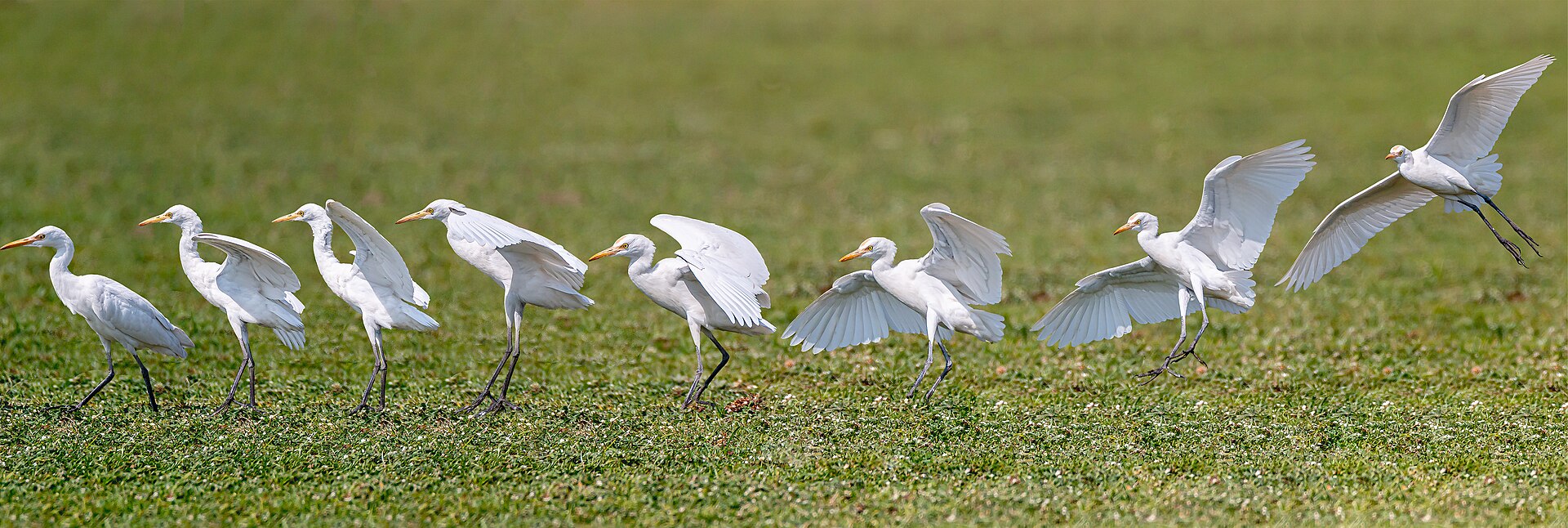
Manufacturers love to advertise burst speed. A decade ago, 10 frames per second (fps) was considered blazingly fast; today, 20 or even 30 fps stills are common on high-end mirrorless cameras. But headline speed tells only half the story. A camera that hits 20 fps for one second and then grinds to a near-stop is often less useful than one that holds a slower rate for many seconds straight. The missing piece is the buffer — and understanding it is the key to knowing what your camera can really do in fast action.
What Is Burst Speed (Frames Per Second)?
Burst speed — also called continuous shooting or drive speed — is the number of frames a camera can capture in one second while you hold the shutter button down. Entry-level cameras typically manage 3–6 fps, enthusiast models deliver 6–10 fps, and professional sports and wildlife bodies push 10–30 fps or higher using their electronic shutter. The exact rate depends on sensor readout speed, the shutter type, and the camera’s image processor.
Higher fps means more chances to catch a decisive moment — the exact frame where a bird’s wings are fully spread or a basketball leaves a player’s hands. But fps is only the top speed. It says nothing about how long you can sustain it, and that is where most cameras quietly hit a wall.
What Is the Camera Buffer?
Think of the buffer as a fast waiting room between the sensor and your memory card. When you fire a burst, the camera produces image data far faster than a memory card can accept it. Those files queue up in a small amount of high-speed RAM built into the camera — the buffer. Because it is fast, dedicated memory, it can absorb the flood of data and let the camera keep shooting at full speed. The Canon EOS R5, for example, needs just under one gigabyte of buffer memory to hold its entire burst.

Buffer depth is how many frames fit in that waiting room before it overflows. It is usually quoted as a number of shots — for instance, “20 fps for 83 RAW frames.” Once the buffer fills, the camera has nowhere to put new images until some are written to the card, so the frame rate collapses, often to just one or two frames per second.
Why Your Camera Slows Down After a Few Seconds
This is the classic burst-mode disappointment: the camera fires beautifully for a second or two, then stutters. It is not broken — the buffer is full. The camera must now wait for the memory card to accept data, and cards are dramatically slower than buffer RAM. The slowdown continues until enough buffer space frees up for more frames.
Buffer depth varies wildly between models. Among recent cameras shooting RAW, the Canon EOS R5 sustains 20 fps for about 83 frames, while the flagship Nikon Z9 holds 20 fps for roughly 1,000. The Canon EOS R7 advertises an impressive 30 fps but only manages around 42 RAW frames — barely 1.5 seconds before it slows down. The Sony A1 holds 30 fps for about 155 frames, and the Fujifilm X-H2S manages 40 fps for roughly 140. As these numbers show, a huge fps figure with a shallow buffer can be less practical than a modest rate with a deep one.
File Format, Resolution, and Memory Card Speed
Three things beyond the camera body itself shape your real-world burst performance.
File format is the biggest lever. A JPEG might be 5–8 MB, but a RAW file from the same sensor can run 25–45 MB or more. Because RAW files are far larger, you typically get three to five times fewer RAW frames before the buffer fills. Shooting RAW + JPEG simultaneously fills it even faster.
Resolution matters too. A 45-megapixel sensor produces much larger files than a 24-megapixel one, so the same buffer holds fewer high-resolution frames.
Memory card speed governs recovery. The buffer only matters if the card can drain it. A faster card clears the buffer sooner, so you get back to full speed faster and can squeeze out more shots during long sequences. A fast UHS-II or CFexpress card can cut buffer-clear time from twenty-five seconds to just a few, which can be the difference between catching the moment and missing it.
How to Maximize Your Burst Performance
- Buy the fastest card your camera supports. It will not raise peak fps, but it shortens the wait and extends usable shooting.
- Shoot a slower burst when you can. Dropping from 30 fps to 10 fps is still plenty for most subjects and can make bursts effectively unlimited.
- Choose your format deliberately. Use JPEG (or compressed RAW) for long sequences, and save full RAW for when you need maximum editing latitude.
- Use pre-capture if you have it. Cameras like the OM System OM-1 and Nikon Z9 continuously cycle frames through the buffer while the shutter is half-pressed, so you can save the frames from just before you fully pressed the button — a clever use of the very same buffer.
Conclusion
Burst speed gets the headlines, but buffer depth decides how long the burst actually lasts. The next time you compare cameras, look past the fps number and find the frame count at that speed — and remember that file format and card speed will change it in the field. With a fast card, a sensible fps setting, and the right file format, you can keep your camera ready for the moment instead of waiting on a red blinking light.
FAQ
Why does my camera stop shooting in burst mode?
It has not failed — the buffer is full. The camera must write queued images to the memory card before it can accept more, so the frame rate drops to a crawl until space frees up.
Does a faster memory card increase burst speed?
It does not raise peak frames per second, but it drains the buffer faster, which shortens the slowdown and lets you resume full-speed shooting sooner.
Should I shoot JPEG or RAW for action?
JPEG gives you far more consecutive frames before the buffer fills, making it ideal for long action sequences. Use RAW when you need maximum editing flexibility and can accept a shallower buffer.
Related Posts
High-Resolution Camera Technology 2026: From 200MP Sensors to Computational Photography
In 2026, "more megapixels" no longer means "a better camera."…
Camera Sensor Crop Factor Explained: Full Frame, APS-C and More
When you shop for a camera or lens, two phrases…
Mirrorless Camera Design: How Removing the Mirror Changed Cameras
For most of the twentieth century, the single-lens reflex (SLR)…