Shutter speed is the setting that decides whether a racing cyclist comes out razor-sharp or a waterfall dissolves into silky mist. It is one of the three pillars of the exposure triangle, alongside aperture and ISO, and it is the single most powerful control you have over how motion looks in your photographs. Whether you shoot Canon, Nikon, Sony, or Fujifilm, the principles are identical. This guide covers how shutter speed works, which settings freeze action, which ones create motion blur, and how to avoid camera shake.
What Is Shutter Speed?
Shutter speed is simply the length of time your camera’s sensor is exposed to light. It is measured in fractions of a second — such as 1/1000, 1/250, or 1/60 — or in whole seconds once the exposure gets long, written as 1″, 5″, or 30″.
The golden rule to remember is this: anything that moves while the shutter is open will blur. A fast shutter speed opens and closes so quickly that a moving subject barely travels during the exposure, so it appears frozen in place. A slow shutter speed keeps the sensor open long enough for movement to streak across the frame as blur. That single rule explains both techniques in this article.
Shutter speed never works alone, though. A faster shutter lets in less light, so you must compensate with a wider aperture or higher ISO. Using Shutter Priority mode (labelled Tv or S) lets you pick the speed while the camera selects a matching aperture.
Freezing Motion with Fast Shutter Speeds
To freeze motion, you need a shutter speed fast enough that your subject does not move noticeably while the shutter is open. How fast that is depends on what you are photographing. These are useful starting points:
- Hand movement during a conversation — about 1/200 sec
- A dog running toward you — 1/500 sec; side-to-side across the frame — 1/2000 sec
- A bird in flight — 1/1000 sec
- A galloping horse or a baseball swing — 1/1000 sec or faster
- A jet-powered aircraft — 1/2000 sec
- Moving water in a distant landscape — 1/1000 sec; water in a close-up fountain — 1/4000 sec
Two factors change how fast you need to go. First, direction: a subject moving across the frame needs a faster shutter speed than one coming straight toward the camera. Second, distance: a close-up subject needs a faster shutter speed than the same subject far away, because its movement covers more of the frame. When in doubt, start fast and check your image — if there is still blur, increase the speed.
Blurring Motion with Slow Shutter Speeds
Blur is not always a mistake. Used deliberately, it is one of the most expressive ways to convey speed, flow, and the passage of time. The same waterfall that looks frozen and textured at 1/4000 sec turns into a smooth, silky cascade at around 1/2 sec. A cyclist moving through the frame blurs nicely at 1/60 sec, a walking person at 1/20 sec, and the ripples on a water surface at one second or longer.
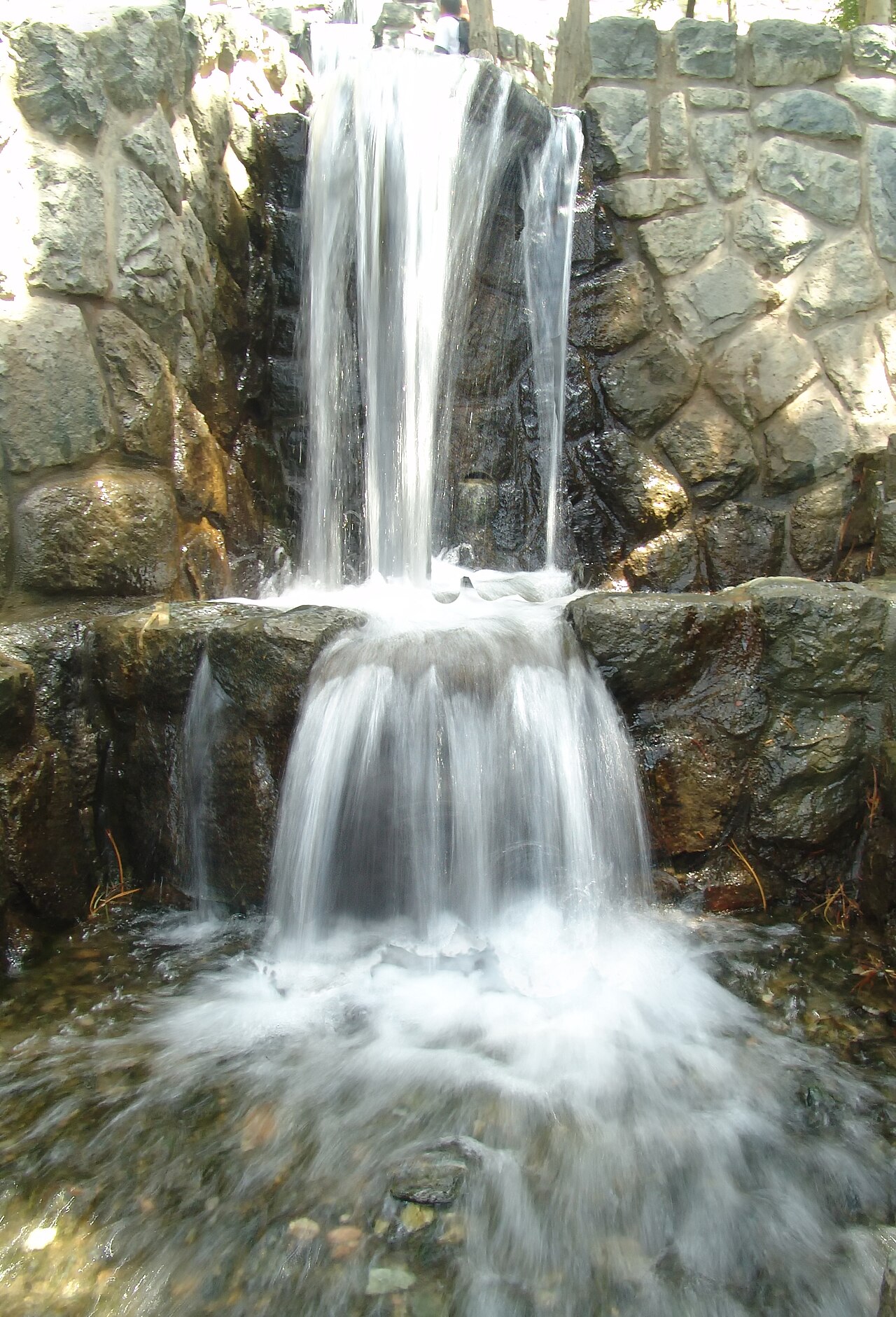
The slower the shutter, the more pronounced the blur — and the more important it becomes to keep the camera perfectly still with a tripod, a remote release (or the self-timer), and image stabilization switched off.
Panning: A Sharp Subject on a Blurred Background
Panning is the classic middle ground between freezing and full blur. You follow a moving subject with your camera, keeping it in the same spot in the frame, while using a moderately slow shutter speed — roughly 1/30 to 1/100 sec. The result is a sharp subject set against a streaked, motion-blurred background, which reads instantly as speed.
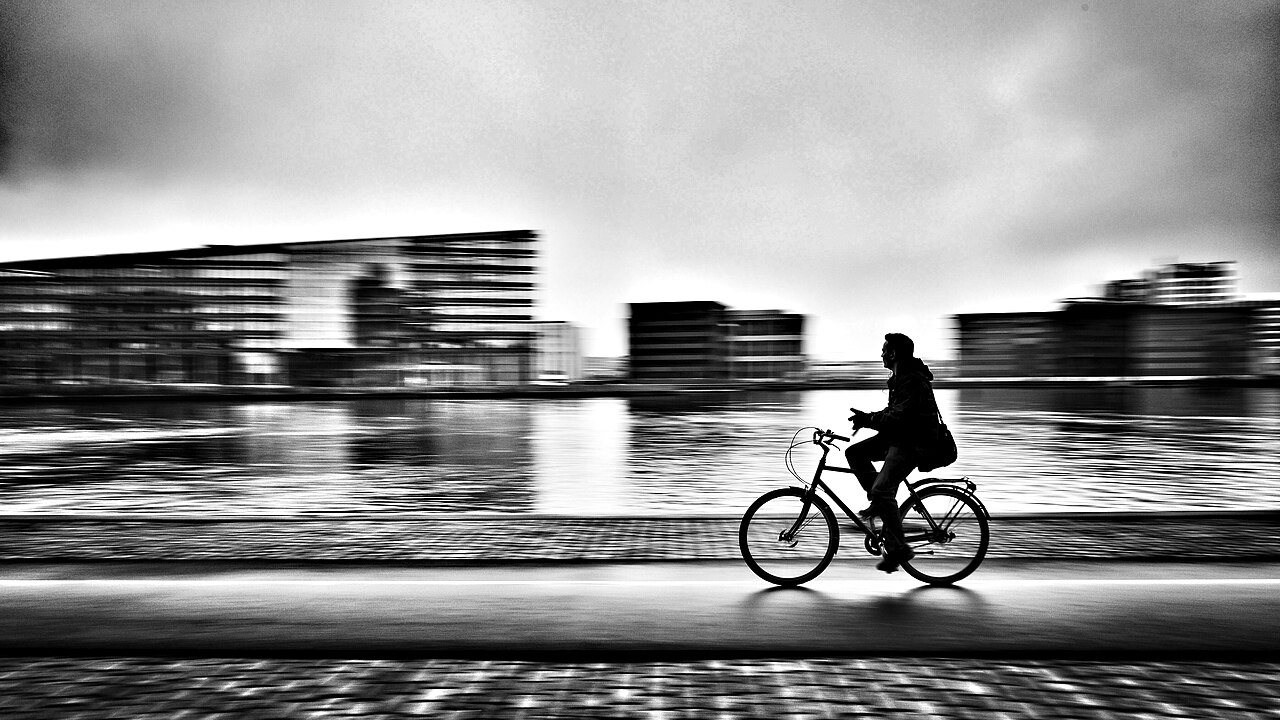
It takes practice: track the subject smoothly before, during, and after the shot.
Avoiding Unwanted Camera Shake
Long shutter speeds do not just blur your subject — they blur the camera itself. Even tiny hand movements during a slow exposure smear the whole scene, a defect photographers call camera shake. A few rules keep your images sharp:
- Use the reciprocal rule for handheld shots: keep your shutter speed at or above 1 divided by the focal length (so with a 50mm lens, stay at 1/50 sec or faster).
- Switch on Optical Image Stabilization (OIS) or in-body stabilization (IBIS) for handheld work — it can buy you sharpness down to roughly 1/15 sec.
- Mount the camera on a tripod for anything slower, and turn stabilization off while it is mounted.
- For exposures longer than 30 seconds, use Bulb (B) mode, which keeps the shutter open as long as you hold the release — ideal for star trails and light-painting.
Conclusion
Shutter speed is the control that decides whether motion is frozen or blurred, and mastering it opens the door to almost every genre of photography — from crisp sports action to dreamy, long-exposure landscapes. Start in Shutter Priority mode, experiment with the starting points above, and remember the golden rule: whatever moves while the shutter is open will blur. Once you learn to predict that, you can choose exactly the look you want, every time.
FAQ
What shutter speed freezes motion?
It depends on the subject, but a good general rule is 1/500 sec for slower action and 1/1000 sec or faster for quick subjects such as birds in flight, galloping horses, or swinging bats. Close, fast subjects moving across the frame may need 1/2000 sec or more.
What shutter speed is best for motion blur?
Start around 1/60 sec for a passing cyclist, 1/20 sec for a walking person, and one second or longer for silky water. Always use a tripod for slow shutter speeds to prevent camera shake.
What is the difference between freezing and blurring motion?
Freezing uses a fast shutter speed to make a moving subject appear perfectly still, while blurring uses a slow shutter speed so movement records as streaks or softness. Both are deliberate creative choices controlled by the same setting.
Related Posts
Metering Modes Explained: How Your Camera Measures Light
Before your camera can set a correct exposure, it has…
RAW vs JPEG: Why Photographers Shoot RAW (and When JPEG Still Wins)
A photographer shooting in the field — RAW preserves every…

Depth of Field: A Complete Guide for Photographers
Shallow depth of field isolates the subject against a blurred…