What Is AI Scene Detection?
Point your phone at a sunset and something subtle happens before you press the shutter: the camera has already recognized the scene. It knows the frame contains a bright sky, warm horizon colors, and a darkening foreground, and it has quietly adjusted exposure, white balance, and saturation to match. This is AI scene detection and auto-enhancement — a family of machine-learning techniques that let modern cameras “read” a scene and tune their settings the way an experienced photographer would.
The payoff is that even casual shots come out well-exposed and colorful. But how does a camera actually know it is looking at a sunset rather than a face, a plate of food, or a page of text? The answer sits at the intersection of computer vision, dedicated AI hardware, and the image signal processor (ISP).
From Scene Classification to Semantic Segmentation
AI scene detection is, at its core, an image-classification problem. A convolutional neural network (CNN) — the main deep-learning architecture for images — passes each frame through a series of filters that activate on specific features such as edges, textures, and color patterns, until the model can label what it sees. Early implementations assigned one label to an entire frame: “beach,” “food,” or “portrait.” Today’s systems are far more granular, and research has matured to the point that dedicated datasets such as the Camera Scene Detection Dataset (CamSDD) organize more than 11,000 images across 30 categories, from sunsets and fireworks to documents and QR codes.
The step from “one label per photo” to “one label per pixel” is called semantic segmentation. Instead of describing the whole frame as “outdoors,” the model assigns a class to each pixel: sky here, foliage there, a person in the foreground. This lets the camera treat different regions of the same image differently.
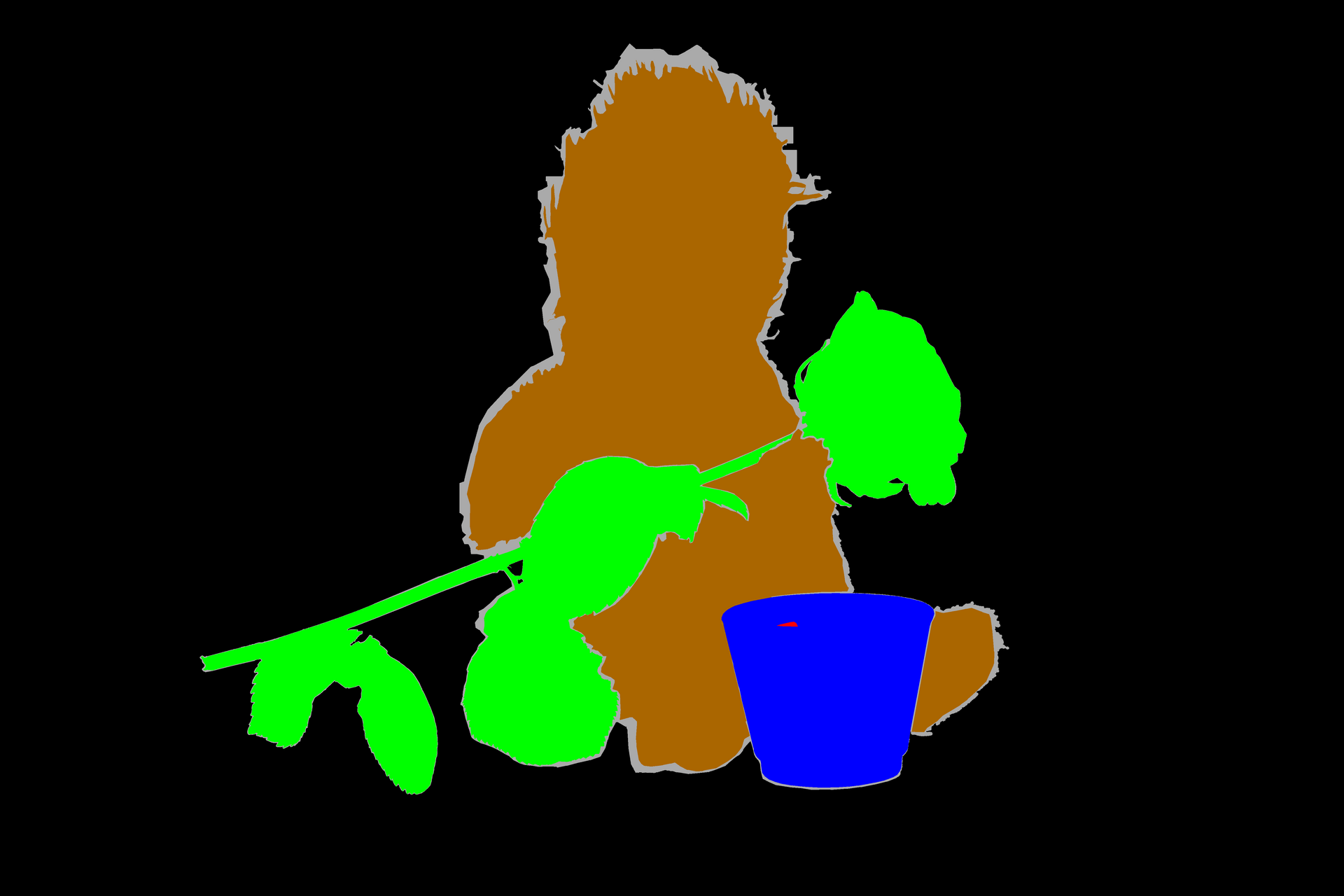
Apple takes this further with panoptic segmentation, which unifies scene-level understanding (the sky, the grass) with subject-level understanding (each individual person in the frame). In a research note, Apple’s engineers described how a Transformer-based model running on-device powers features such as Smart HDR, Portrait mode, and Photographic Styles. Chipmakers such as MediaTek apply the same idea: their Dimensity processors decompose a frame into independent regions — blue sky, green plants, portraits — and optimize contrast, color, and sharpness for each one separately.
How Auto-Enhancement Works in Practice
Once the scene is identified, the camera applies a recipe of adjustments tailored to that content. A sunset gets warmer, more saturated reds; a page of text gets straightened edges and higher local contrast; a face gets balanced exposure and skin-tone-aware white balance.
Samsung describes this as the pairing of the NPU’s machine-learning output with the ISP’s optimization functions. When the neural processing unit (NPU) detects a face, for instance, the ISP can apply the best exposure and white balance for the lighting and skin tone, or blur the background for a bokeh effect. Samsung’s face detection has been trained on more than 300,000 faces for greater precision. The whole loop — detect, classify, and enhance — completes in milliseconds, so it feels instantaneous.
On-Device AI: Why It’s Fast and Private
All of this runs on the phone itself, not in the cloud. Dedicated NPUs and digital signal processors (DSPs) execute these models efficiently enough to keep up with a live viewfinder without draining the battery. MediaTek reports that semantic-segmentation-based optimization can cut compute demand roughly in half by avoiding redundant calculations, while still supporting stacked algorithms such as night-scene enhancement and dynamic tracking. Running on-device also means scene detection works offline and keeps photos private — an important consideration as cameras become more aware of what they are photographing.
Scene Detection Across Brands
While the underlying techniques are similar, each manufacturer brands its implementation differently:
- Samsung: the Exynos Scene Optimizer pairs NPU-driven detection with ISP tuning, covering faces, food, sunsets, and more.
- Apple: on-device panoptic segmentation powers Smart HDR, Portrait mode, and Photographic Styles.
- MediaTek: Dimensity chips use semantic segmentation to optimize regions independently and stack multiple enhancement algorithms.
- Huawei: AI Photo Master automatically matches scenes such as food or text and adjusts white balance and exposure compensation.
The Limits of Auto-Enhancement
Auto-enhancement is powerful but not infallible. Scene classifiers can be wrong, applying a “food” boost to something that is not food, or a “sunset” saturation to a warm interior. Aggressive enhancement can also oversaturate colors or over-sharpen detail in ways a careful photographer would not choose. That is why most phones let you disable scene optimization, and why many serious shooters prefer RAW capture, which preserves the unprocessed sensor data for manual editing later. AI scene detection is a helpful assistant, not a replacement for judgment.
Conclusion
AI scene detection and auto-enhancement have quietly become the backbone of smartphone photography. By classifying scenes, segmenting pixels, and tuning exposure, color, and sharpness in real time, modern cameras deliver consistently good results with almost no effort from the user. As on-device NPUs grow more capable and segmentation models get more precise, the camera will keep getting smarter about what it sees — and the line between a snapshot and a carefully processed photograph will keep blurring.
FAQ
Do I need to enable scene detection?
On most phones it is on by default. If you prefer a more neutral look or want full control, you can usually disable the scene optimizer or AI enhancements in the camera settings.
Can scene detection make a photo worse?
Occasionally. If the model misclassifies a scene, it can apply the wrong adjustments — for example, over-saturating colors or over-sharpening. Switching to RAW or turning off scene optimization avoids this.
Does auto-enhancement replace manual editing?
It gets you most of the way there for everyday shots, but manual editing in an app still gives finer control over tone, color grading, and cropping that automated recipes cannot match.
Related Posts

AI Portrait Retouching and Face Enhancement: A Complete Guide
What Is AI Portrait Retouching? Portrait retouching has always been…

AI Super-Resolution Explained: How Neural Networks Rebuild Lost Detail
Zoom into an old, low-resolution photo and you hit a…
Multi-Frame HDR Fusion Explained: How Cameras Blend Exposures for Perfect Highlights and Shadows
Point your camera at a room with a bright window…