A stranger wandering through your landscape shot, a power line slicing across a sunset, a stray trash can in a perfect frame — photographers know the frustration of a great photo undermined by one detail. Not long ago, fixing that meant careful work with a clone stamp, sampling pixels by hand and hoping the patch didn’t look stamped on. Today, AI object removal and inpainting can erase distractions in seconds and rebuild the background so convincingly that most viewers can’t tell anything was ever there. Here’s how the technology works, where it came from, and how to get the cleanest results from it.
What Is Inpainting?
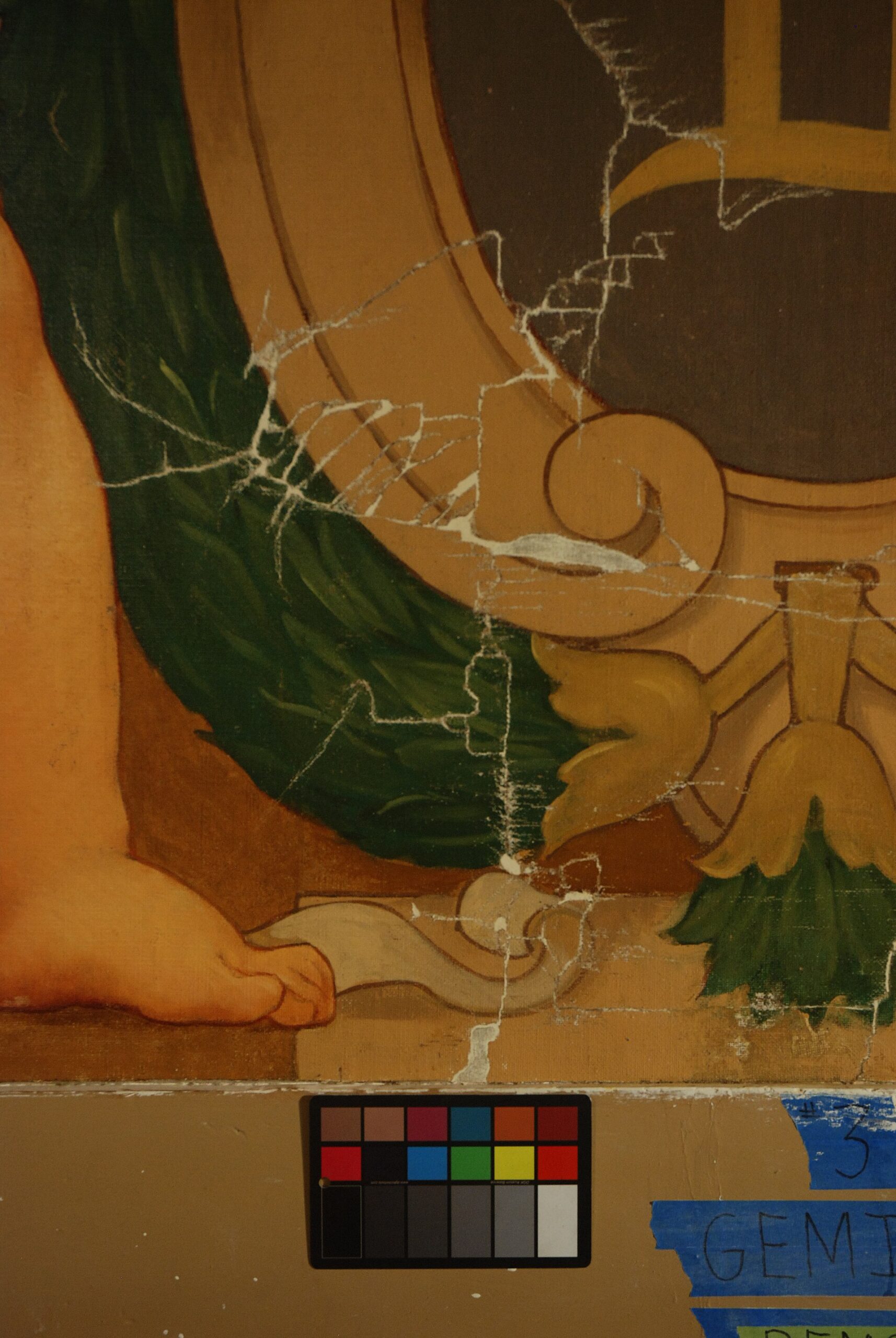
“Inpainting” isn’t a word software companies invented — it comes from art conservation. For centuries, conservators have filled in damaged, deteriorated, or missing parts of paintings, murals, and sculptures to present a complete image. The modern practice traces back to Pietro Edwards, Director of the Restoration of the Public Pictures in Venice in the late 18th century, and was refined by figures like Helmut Ruhemann, who argued a restorer must match the original painter’s methods and intentions. The goal has always been the same: reconstruct what should be there. In the mid-1990s, the term crossed into computing, and “digital inpainting” came to mean algorithms that replace lost or corrupted pixels in an image.
From Clone Stamp to Neural Networks
Digital retouching evolved in clear stages. The clone stamp was purely manual — you chose a source region and painted copies of it over the flaw. Photoshop’s Content-Aware Fill and similar tools automated this with exemplar-based (PatchMatch) methods that search nearby regions and copy the most similar patches, pixel by pixel. That works beautifully on a plain wall and falls apart on grass, brickwork, or foliage, where there’s no good patch to copy. A landmark 2018 NVIDIA paper introduced partial convolutions, letting neural networks fill irregular holes more naturally. Since then, architectures like LaMa have used Fourier convolutions to extend repeating textures across large masked regions, and diffusion-based “generative fill” models have pushed quality further still.
How AI Object Removal Actually Works
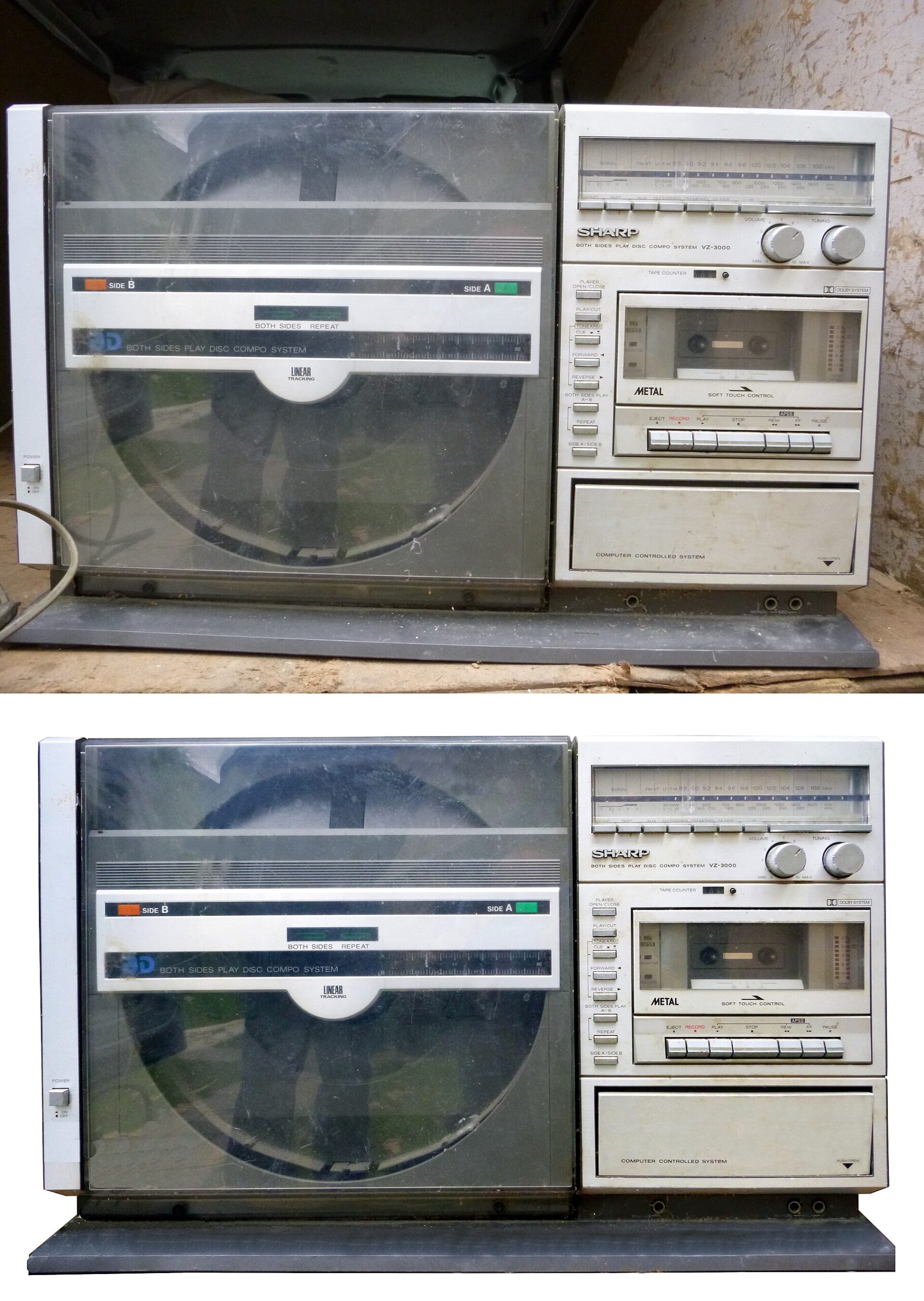
When you brush over an unwanted object, your strokes become a mask — a map telling the model which pixels to discard and which to trust. The network examines everything outside the mask as context: textures, lighting direction, color gradients, and perspective. Trained on millions of image pairs, it then predicts the most plausible content for the gap, continuing edges through the hole and matching the surrounding scene. Crucially, this is generation, not recovery. The camera never captured the pixels hidden behind the object, so the AI isn’t “revealing” them — it’s synthesizing a believable stand-in. On simple, repeating backgrounds like sky, grass, sand, or water, that fill is often indistinguishable from the real thing. On complex, structured areas — a face, text, fine architecture — it becomes an educated guess that may need a touch-up pass.
The Tools to Know
AI erasing reached mainstream phones with Google’s Magic Eraser, which debuted on Pixel devices in 2021, and Samsung’s Object Eraser offers a similar brush-and-erase workflow on Galaxy phones. Adobe brought the technique into professional workflows with Photoshop’s Generative Fill, powered by its Firefly model, which can remove an object and generate entirely new content in one step. Plenty of free web tools now offer the same idea in a browser.
How to Get Clean, Believable Results
A few habits separate convincing edits from obvious ones. Brush slightly past the object’s edge, leaving a thin margin of background so the model gets an unambiguous boundary and no sliver of the original survives as a ghost outline. Include the object’s shadow and any ground-contact area — a person who vanishes while their shadow remains looks wrong. Remove one object per pass rather than mass-selecting a large area, so each removal has clean surrounding context. And match the brush to the object: tight for a power outlet, broad for a parked car. If a seam or odd texture remains, run a second, smaller pass over just that area instead of redoing the whole edit.
Limits, and When Not to Use It
Quality scales with what’s behind the object and how much of the frame it covers. Small objects on simple backgrounds remove nearly invisibly; an object covering 30% or more of the image leaves a larger region that’s AI-generated rather than original, and results become more approximate. Remember that the tool is inventing plausible content, not recovering hidden pixels — so for news, legal, insurance, or evidentiary photos, altering the image is the wrong move. Keep AI removal for personal photos, listings, and creative work, and disclose edits where a platform’s rules require it.
Conclusion
AI object removal and inpainting have turned a skill that once took 20 minutes of careful cloning into a three-second brush-and-erase action. Understanding what the technology actually does — generating a plausible fill rather than recovering hidden pixels — is the key to using it well. Mark precisely, work in passes, mind the shadows, and the results will look like the distraction was never there.
FAQ
Does AI object removal recover the pixels hidden behind an object?
No. The camera never captured those pixels. Inpainting generates a plausible reconstruction based on the surrounding scene, which is why it’s seamless on simple backgrounds and only approximate on complex ones.
What’s the difference between clone stamping and AI inpainting?
Clone stamping copies real pixels from elsewhere in your image, so it guarantees no “invented” detail but fails when there’s no good source region. AI inpainting synthesizes new content that matches the scene’s texture, lighting, and perspective — stronger on large objects and complex backgrounds, at the cost of occasionally introducing artifacts.
Which objects are easiest to remove cleanly?
Small objects against simple, repeating backgrounds — sky, grass, pavement, plain walls, water — remove most cleanly. Large objects, or anything in front of detailed, structured areas like faces, text, or dense patterns, are harder and may need a manual touch-up pass.
Related Posts
How Smartphone Night Mode Really Works: The Science Behind Computational Night Photography
Point your phone at a dark street and tap the…

AI Super-Resolution Explained: How Neural Networks Rebuild Lost Detail
Zoom into an old, low-resolution photo and you hit a…

How Google HDR+ Works: The Burst Photography Behind Pixel’s Camera
Open the camera on a Google Pixel and press the…