Out of the box, nearly every camera focuses the same way: you press the shutter button halfway, the lens racks into focus, and a full press fires the shot. It works — until you need to focus once, lock that focus, and then fire a dozen frames without the camera quietly re-focusing between shots. That’s exactly the problem back button focus solves, and it’s why so many working photographers move autofocus off the shutter button entirely and onto a button at the rear of the camera operated by the thumb.
What Is Back Button Focus?
Back button focus (often called “back-button AF”) simply means removing autofocus activation from the shutter button and assigning it to a rear button — usually the AF-ON button, or the AE-L / AF-L button on cameras without a dedicated AF-ON control. Once configured, the shutter button does exactly one thing: it wakes the camera and fires the shutter. Focusing becomes a separate, deliberate action controlled by your thumb.
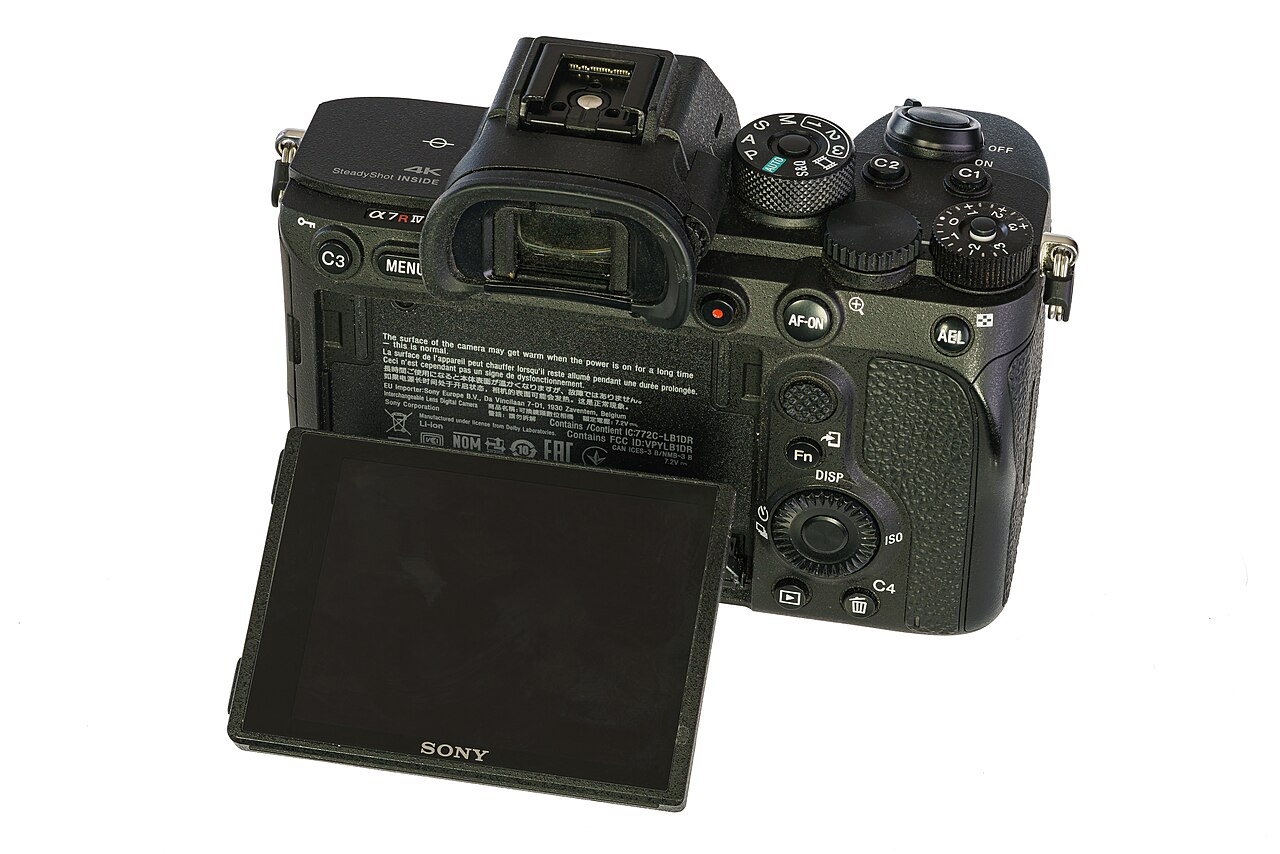

The key change is mental as much as physical. Instead of half-pressing to focus before every shot, you press the rear button when you want to focus, release it when you’re happy, and then shoot freely — as many frames as you like — without the camera attempting to refocus each time.
Why Pros Use It
The benefits come down to control. Here are the situations where back button focus genuinely changes how you shoot:
1. Focus once, then shoot without re-focusing
With focus locked by releasing the rear button, you can fire burst after burst at a static subject without the autofocus system hunting between frames. Portrait and product photographers love this — frame, focus on the eye, release the button, and shoot a sequence knowing the focus plane never moves.
2. Continuous AF only when you want it
Set your camera to its continuous mode (Canon AI Servo, Nikon/Sony AF-C), and back button focus gives you the best of both worlds. Hold the button and the camera tracks a moving subject continuously. Release it and focus locks in place — effectively turning continuous AF into single-shot AF on demand. You never have to dig into menus to switch modes.
3. Shoot through obstacles
Wildlife and sports shooters regularly deal with foreground clutter — a branch, a fence, another player running through the frame. If focus is on the shutter button, the camera may grab the obstruction the moment you recompose. With back button focus, you focus on your subject, release the button, and the camera stops focusing until you tell it to — so a temporary obstruction doesn’t steal the focus point.
4. Separate focus from exposure
Autofocus and exposure metering are two different jobs. On the shutter button they’re tied together; separated onto different controls, you can lock focus with your thumb while independently controlling exposure lock and shutter timing. This is particularly handy for backlit scenes and fast-moving action.
How to Set It Up
Menu names vary slightly between models, but the principle is the same across all brands: disable AF on the shutter button, and confirm the rear button activates autofocus.
Canon
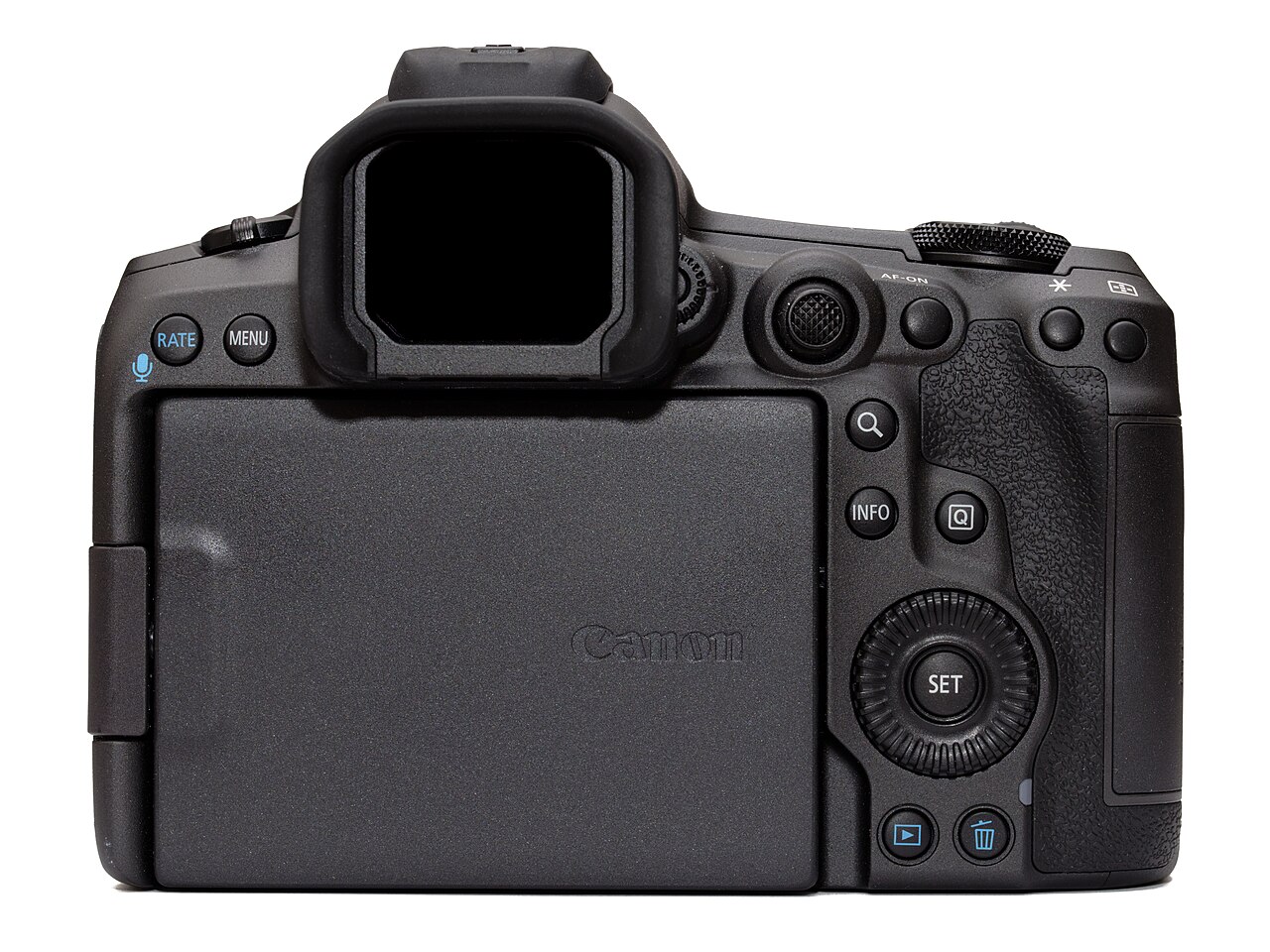
On EOS DSLRs and EOS R mirrorless cameras, open the Custom Controls (or Custom Functions) menu. Find the shutter button half-press option and change it from “Metering + AF start” to “Metering start” only. Then confirm the AF-ON button is assigned to “Metering + AF start.” Now the shutter half-press meters but does not focus; the AF-ON button does both.
Nikon
Open the Custom Settings menu (the pencil icon), go to the Autofocus section, and find AF activation (a4 on many bodies). Change it from “Shutter/AF-ON” to “AF-ON only.” The shutter button will now only fire the shutter, and the rear AF-ON button handles focusing.
Sony
Go to Menu → Focus → AF/MF and set “AF w/ Shutter” to Off. It’s also worth switching Pre-AF to Off so the camera isn’t continuously focusing before you touch the button. The AF-ON button (or any custom button assigned to “AF On”) then activates focus.
.jpg)
Is Back Button Focus Right for You?
There’s a genuine trade-off. Back button focus requires relearning muscle memory — most photographers need a week or two of regular shooting before pressing the rear button feels natural, and the first few sessions tend to be full of missed-focus shots while you reach for the wrong control. If you regularly hand your camera to someone else, they’ll almost certainly struggle with it too.
For that reason, it’s not a universal upgrade. But if you shoot portraits, weddings, wildlife, or sports — anything where you need to lock focus and then fire without hesitation — the setup is widely considered worth the learning curve. And because it’s just a menu setting, it costs nothing to try and is trivial to switch back.
Conclusion
Back button focus doesn’t make your camera focus faster or more accurately on its own. What it gives you is separation — focus becomes an independent, deliberate action instead of an automatic side effect of pressing the shutter. That one change lets you lock focus and shoot freely, switch between tracking and locking on the fly, and keep the camera from hunting at the worst possible moment. Spend a couple of weeks with it and you may never go back to half-pressing again.
FAQ
Does back button focus work for video? Yes, but the behavior varies by camera. Many bodies keep the AF-ON button active during video recording, letting you pull focus with your thumb. Check your model’s manual for how it treats AF activation in movie mode.
Can I still use single-shot autofocus? Absolutely. In single-shot (One-Shot / AF-S) mode, a quick tap of the rear button locks focus on a static subject; you then release and shoot. The technique works identically whether you prefer single or continuous focus.
What if my camera has no AF-ON button? Most DSLRs and mirrorless cameras without a dedicated AF-ON button let you reassign the AE-L/AF-L button to trigger autofocus instead. The same menu system that removes AF from the shutter button is where you’ll find the button-assignment options.
How long does it take to get used to it? Most photographers report one to two weeks of regular shooting before it becomes second nature. Expect a few missed shots early on while your thumb learns the new rhythm.
Related Posts

Macro Photography: A Complete Guide to Close-Up Shooting
Macro photography opens up a world the naked eye barely…
White Balance Explained: A Beginner’s Guide to Accurate Color
Every photographer has taken a photo that came out too…

Time-Lapse Photography: The Complete Guide to Shooting Stunning Time-Lapses
Time-lapse photography compresses minutes, hours, or even days into a…