Scroll through any filmmaking forum and you’ll keep running into the same three letters: LUT. Editors talk about “throwing a LUT on” their footage, camera makers bundle LUTs with their bodies, and marketplaces sell thousands of them. Yet a LUT is one of the most misunderstood tools in video post-production — it is not a filter, and it is not a preset, even though it behaves a little like both. Here’s what a look-up table actually is, how it works, and how to use one without ruining your footage.
What Is a LUT?
LUT stands for look-up table. In the simplest terms, it is a table of numbers that maps input color values to output color values. For every red, green, and blue value that goes in, the table says exactly what red, green, and blue should come out. Apply a LUT to a clip and every pixel is instantly remapped by that same table — there is no scene analysis, no “learning,” and no per-shot adjustment. The same input always produces the same output, which is exactly what makes a LUT predictable and repeatable across a whole edit.
A 3D LUT is stored as a cube of sample points in RGB space, so a color cube is a good way to picture what the table is doing:

1D LUTs vs 3D LUTs
LUTs come in two broad families, and the difference matters.
A 1D LUT treats each color channel independently. It is essentially three separate lists — one for red, one for green, and one for blue — so it can change brightness, contrast, gamma, and white balance. What it cannot do is change hue relationships, because the output of red never depends on the input of green or blue.
A 3D LUT maps full RGB triplets to RGB triplets. It is usually stored as a cube of sample points — commonly 33 × 33 × 33, or nearly 36,000 entries — with the values between samples interpolated. Because the output of every channel can depend on all three inputs, a 3D LUT can shift hues, control saturation, emulate a film stock, and do everything a 1D LUT can. Almost all creative grading is done with 3D LUTs, and the common .cube format is simply a plain-text list of those RGB triples.
| 1D LUT | 3D LUT | |
|---|---|---|
| Maps | Each channel independently | RGB triplets to RGB triplets |
| Can change | Brightness, contrast, gamma, white balance | Hue, saturation, contrast, film looks |
| Structure | Three 1D lists | A cube (often 33 × 33 × 33) |
| Used for | Basic luminance fixes | Technical and creative grading |
The Three Kinds of LUTs
Most confusion comes from using one word for several different tools. In practice there are three:
- Technical (transform) LUTs convert footage from one color space to another — for example, from S-Log3 or C-Log3 to Rec.709. These have a “correct” answer and are normally supplied by the camera maker. Applying one is decoding, not a creative choice.
- Creative (look) LUTs are a finished look baked into a table: a teal-and-orange grade, a film emulation, a bleach-bypass. There is no right answer — it is a matter of taste.
- Calibration LUTs correct a specific monitor so it matches a reference standard. They belong to display calibration, not to grading footage.
Why Log Footage Needs a LUT
Log profiles such as S-Log3, C-Log3, V-Log, and N-Log record flat, low-contrast, desaturated footage on purpose — that washed-out look preserves dynamic range so you have room to grade later. Viewed straight out of the camera, log looks grey and lifeless. A technical LUT (or a color-space transform) maps that log to Rec.709 so the image looks normal on a standard screen.
The ordering rule is where most people go wrong. Apply the transform first, then balance exposure and white balance, and only then add a creative look. A look LUT was built expecting a particular input; feed it log footage that is a stop under and every value lands in the wrong part of the table — crushed shadows and clipped highlights that cannot be recovered, because the LUT has already thrown that data away.
How to Use LUTs
In-camera and on-monitor. Many cameras and external monitors let you load a LUT to preview a corrected image while you record log. The recorded file stays log; only the monitoring view changes, which lets you judge exposure and framing without committing to the look.
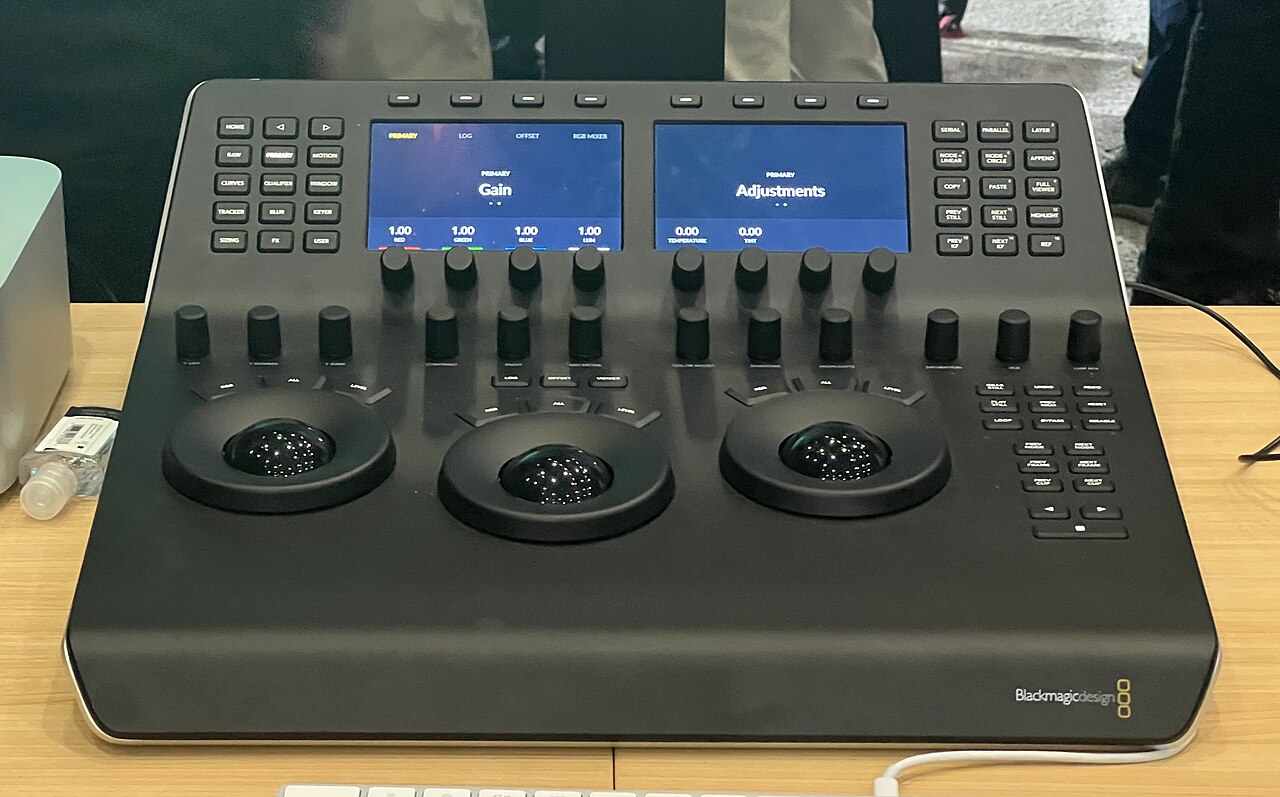
In the editor. In DaVinci Resolve (free), Premiere Pro, or Final Cut Pro, a LUT is applied as a node or layer in the color pipeline. Professionals usually keep the LUT as one node and grade around it rather than hard-baking it into the file, so the original footage stays flexible.
Strength and stacking. Most editors let you dial back a LUT’s opacity and stack multiple nodes. The safe pattern is technical transform first, creative look last.
LUTs vs Color Grading vs Presets
A LUT is a fixed mathematical transform; a color grade is a manual, shot-by-shot adjustment of exposure, contrast, and color. A LUT is often the starting point or the finishing touch of a grade — it is not the grade itself. A preset, by contrast, is a set of editable settings native to the app: you can move its sliders. A LUT is opaque math — you can adjust only its strength, not what is inside. And neither is the same as an in-camera picture profile, which shapes the image at capture time.
Conclusion
A LUT is a simple, powerful idea: a table that remaps color. Understand the difference between technical and creative LUTs, and apply them in the right order on log footage, and the same tool that wrecks other people’s footage will make yours look deliberate and consistent.
FAQ
What does LUT stand for? Look-up table — a table that maps input color values to output color values.
What is the difference between a 1D and a 3D LUT? A 1D LUT adjusts each channel independently (brightness, contrast, gamma), while a 3D LUT maps full RGB triplets, so it can also shift hue and saturation. Creative work uses 3D LUTs.
Can I use a LUT on regular, non-log footage? Creative look LUTs work on any footage, but a log-to-Rec.709 transform LUT should only be applied to the matching log footage it was built for.
Is a LUT the same as a filter? No. A filter is usually a preset with adjustable parameters; a LUT is a fixed color transform with no awareness of the scene.
Related Posts
Lens Mount Systems Compared: Canon RF vs Sony E vs Nikon Z vs Fujifilm X
When you buy an interchangeable-lens camera, you are not just…
Camera Shutter Count and Life Expectancy: How Many Shots Is Your Camera Good For?
Every time you press the shutter button, a precision mechanical…
Pixel Binning Explained: How Your Phone Camera Captures Brighter Low-Light Photos
If you've ever wondered why a 108-megapixel phone still saves…