Buy a new camera and you’ll immediately hit a wall of acronyms in the memory card aisle: SD, SDXC, UHS-II, V30, CFexpress, A2. The labels matter more than people realize — the wrong card can throttle a $3,000 camera’s burst shooting or stop a video recording dead in the middle of a take. This guide explains the three card formats you’ll actually encounter, what the speed symbols really mean, and how to pick a card that matches your camera and the way you shoot.
The Three Card Formats You’ll Actually See
Full-size SD cards are the default storage in most mirrorless and DSLR cameras, split into capacity tiers. Plain SD tops out at 2 GB, SDHC runs to 32 GB, and SDXC spans 32 GB up to 2 TB. Nearly every current camera uses SDXC — anything you buy today at 64 GB or more is SDXC.
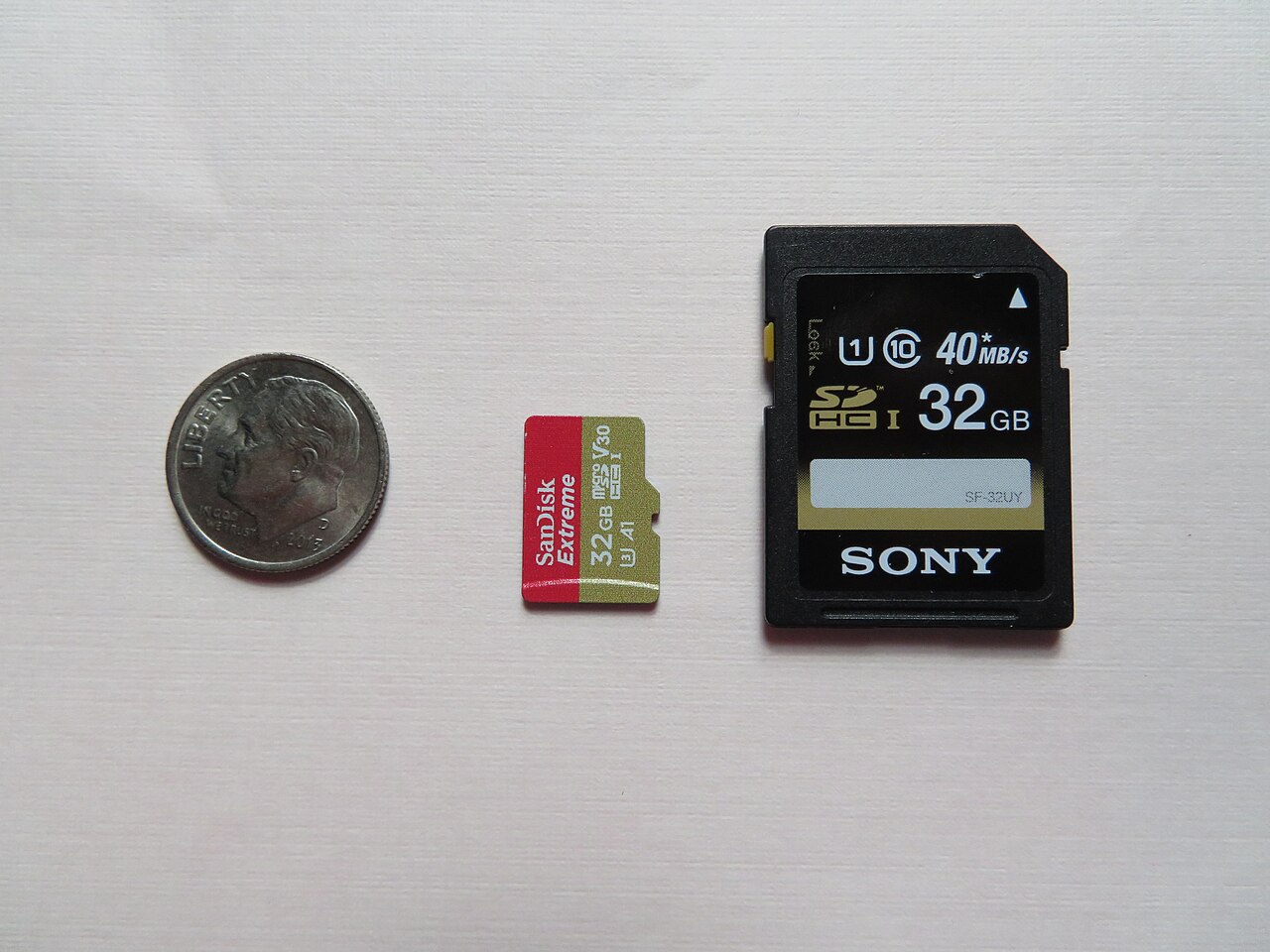
microSD is the same silicon in a smaller package. It dominates action cameras, drones, smartphones, and handheld consoles, and it usually ships with a full-size adapter so it can slide into an SD slot. The speed-class system is identical, so a V30 microSD is just as fast as a V30 full-size SD card.
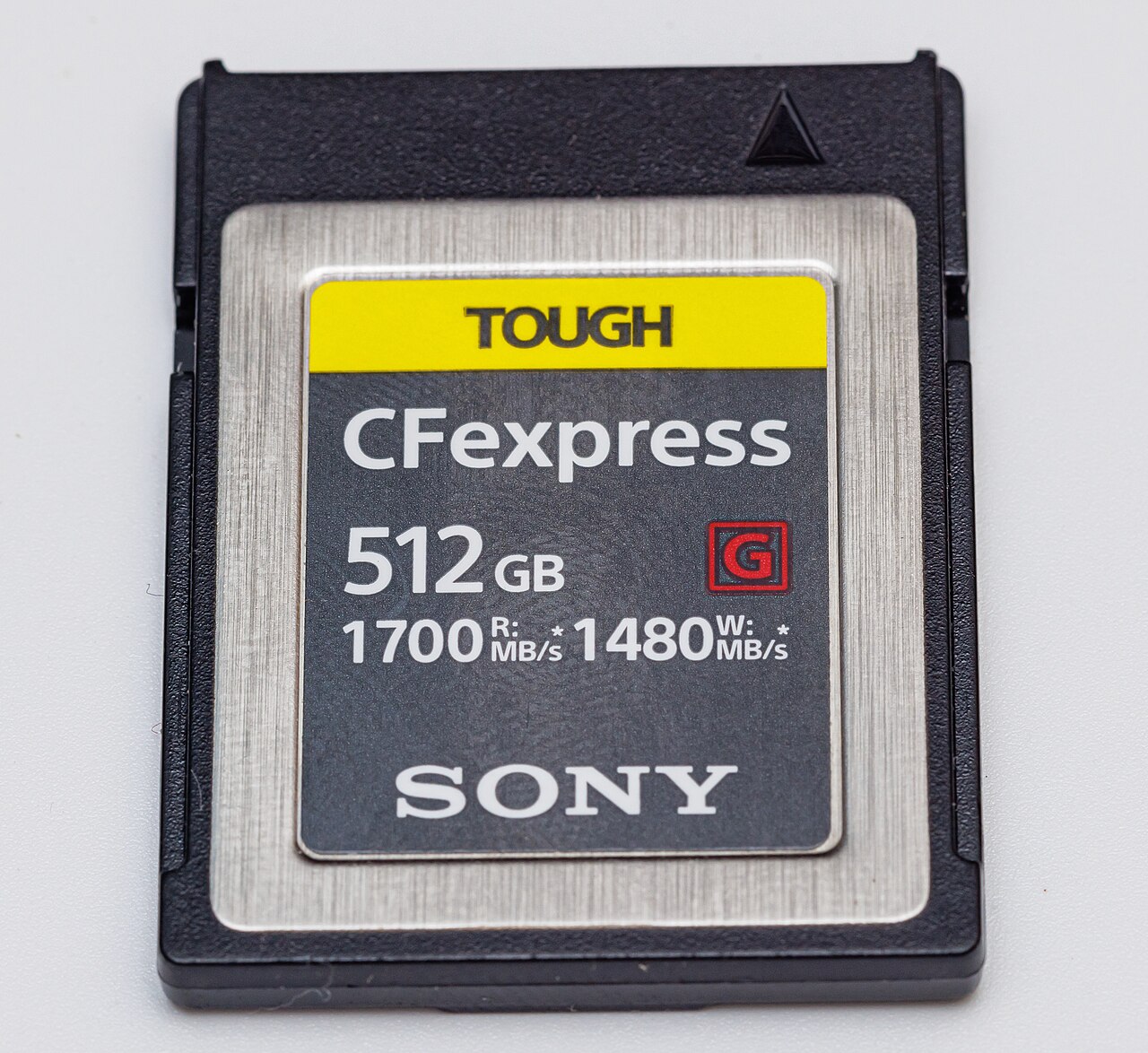
CFexpress is the new high-end standard, built on the same NVMe/PCIe technology as computer SSDs. It comes in three sizes: Type A (compact, used mainly by Sony cameras like the a7 series), Type B (the most common, used by Canon, Nikon, Panasonic and others), and Type C (large, for cinema cameras). CFexpress cards are dramatically faster than SD — sustaining several hundred MB/s of writes and beyond — which is why 8K raw and long high-speed bursts increasingly demand them.
What All the Speed Symbols Actually Mean
Memory card labels stack several overlapping rating systems, but only one number really matters for a camera: the minimum sustained write speed.
- Speed Class (C): a number inside a letter “C”. C10 guarantees 10 MB/s writes — the bare minimum, fine for HD video.
- UHS Speed Class (U): U1 = 10 MB/s, U3 = 30 MB/s.
- Video Speed Class (V): V30 = 30 MB/s, V60 = 60 MB/s, V90 = 90 MB/s minimum sustained write. This is the rating that matters most for video — a camera recording 4K needs a card that never dips below a certain write rate, or the recording simply stops.
- Application Performance Class (A1/A2): measures random read/write IOPS rather than sequential speed, aimed at phones and consoles that run apps directly from the card.
The bus speed is separate from all of these. UHS-I tops out around 104 MB/s, UHS-II adds a second row of pins to reach roughly 312 MB/s (spot a UHS-II card by its extra contacts), and the newer SD Express standard rides PCIe to multi-gigabyte-per-second speeds, though camera adoption is still limited.
Read Speed vs Write Speed — the Fine Print
The big number printed on the front of the card — 200 MB/s, 300 MB/s — is almost always the read speed, the rate at which you offload photos to a computer. What your camera cares about is write speed, because that’s what caps burst depth and video recording. A card labelled “300 MB/s” might only sustain 60 MB/s of writes. That’s exactly why the V-class exists: a V90 card guarantees 90 MB/s writes even under sustained load, while a card that merely advertises a fast read speed may throttle after a few seconds of continuous shooting.
Which Card Should You Buy?
Match the card to the camera and the job:
- Casual stills and 1080p/4K video: a V30 UHS-I card is plenty and by far the best value — think Samsung PRO Plus or SanDisk Extreme-class cards.
- High-bitrate 4K/6K video and fast burst shooting: step up to V60 or V90 on UHS-II, which sustains deeper write throughput.
- 8K raw, sports/wildlife bursts, professional video: CFexpress Type B (or Type A on Sony). If your camera has a CFexpress slot, use it for demanding work and keep an SD card for backup.
- Drones, action cams, phones: microSD U3/V30, ideally with an A2 rating if you run apps (e.g. Samsung EVO Select).
A useful rule of thumb: check your camera manual for the card specification it recommends. Buying a V90 for a camera that only writes at V30 speed wastes money — and buying a slow card for a fast camera wastes the camera.
Practical Tips to Avoid Trouble
Counterfeit memory cards are a genuine problem — a fake “1 TB” card may hold 8 GB and corrupt everything you shoot. Buy from authorized retailers rather than too-good-to-be-true listings. Format the card in the camera, not on your computer, so the camera writes its own file system. And consider 64–128 GB the sweet spot for most shooters: large enough to avoid constant swapping, small enough that a failure won’t cost you a month of work. Video shooters should lean 256 GB and up.
Conclusion
Memory cards are the least glamorous part of a camera kit, but they’re also the one component that can silently ruin an entire shoot. Learn the three formats, ignore the read-speed marketing number, and buy on minimum write speed — V30 for everyday work, V60/V90 for serious video, CFexpress for 8K and burst. Get that right and your card will never be the bottleneck.
FAQ
What does V30 mean on an SD card?
V30 guarantees a minimum sustained write speed of 30 MB/s, which is enough for standard 4K video recording.
Do I need a CFexpress card for 4K video?
No. A V30 or V60 UHS-II SD card handles 4K comfortably. CFexpress is for 8K raw, very high bitrates, and long fast bursts.
Is microSD as fast as full-size SD?
Yes, for the same class. A V30 microSD and a V30 full-size SD write at the same guaranteed minimum; the formats differ only in physical size.
What’s the difference between UHS-I and UHS-II?
Bus speed. UHS-I tops out near 104 MB/s, while UHS-II adds a second row of contacts to reach about 312 MB/s. You need both a UHS-II camera and a UHS-II card to benefit.
Related Posts
Sony a7 V Review (2026): The Best Full-Frame Camera for Most People
Disclosure: This article contains affiliate links. If you buy through…
Fujifilm X100VI Review (2026): The Viral Compact That’s Still Worth the Hype
Disclosure: This article contains affiliate links. If you buy through…

New vs Used Cameras: What to Consider Before You Buy
Every photographer eventually asks the same question: buy new, or…