Point your phone at a dimly lit street or a starlit sky, tap the shutter, hold still for a second or two — and the result looks brighter and cleaner than anything you could actually see. A decade ago that same shot would have been a blurry, grainy mess. The difference is night mode, and it is one of the clearest examples of computational photography changing what a small sensor can do.

The Physics Problem: Why the Dark Used to Ruin Photos
A camera sensor only records what it can measure, and in a dim scene a phone’s small sensor and small lens let in very little light. The two traditional fixes both fail. You can raise the ISO, which amplifies the signal — but it amplifies random sensor noise too, producing grain. Or you can lengthen the shutter, which gathers more light but blurs the shot from hand shake and any moving subject. Phones with small sensors (typically around a 1/1.3-inch chip or smaller) feel this problem more severely than a full-frame camera, because they simply collect less light to begin with.
Before night mode, the only real workaround was the LED flash — which throws harsh, flat light at your subject and washes out the atmosphere of the scene entirely.
The Core Idea: Shoot Many Frames, Not One
Night mode solves the problem by refusing to take a single long exposure. Instead, it captures a burst of short frames — often a fraction of a second each — and merges them in software. Each individual frame is short enough to avoid motion blur, but when the frames are stacked and averaged, the effective exposure grows far beyond what any single frame collected.
The averaging does something even more important than brighten the image: it reduces noise. Random sensor noise is different in every frame, while real scene detail is the same in all of them. Averaging many frames therefore reinforces the detail and cancels the noise. The signal-to-noise ratio improves roughly with the square root of the number of frames — so merging a dozen frames can make the image noticeably cleaner than any one of them on its own.
Aligning the Frames: The Hard Part
None of this works if your hand moves, because the frames would no longer line up. So before merging, the software aligns them. Google’s Night Sight is known for using a tile-based alignment approach: it compares small regions of each frame to correct for hand shake and even modest subject movement, and it pairs that with gyroscope data from the phone to estimate how the device moved during capture. This is also why the phone asks you to “hold still” — the algorithm can correct small movements, but not a sudden jump.
Merging, Tone Mapping, and the Final Look
Once aligned, the frames are combined. Some implementations blend more than one kind of exposure: Apple’s Night Mode uses what it calls adaptive bracketing, merging long exposures (for clean shadow detail) with short exposures (to freeze movement) into a single image. After the merge, the software applies white-balance correction, tone mapping, and a gentle S-curve so the result looks natural and colorful rather than flat and washed out.
This final tuning is why night-mode photos so often look brighter than the scene did to your own eyes. The phone isn’t just recording the light — it is reconstructing a scene from far more total light than your eyes gathered in that instant.
The Pioneers: Google Night Sight and Apple Night Mode
Google effectively started the modern era when it launched Night Sight with the Pixel 3 in November 2018, combining up to roughly 15 short exposures of about 1/15 second or less using its HDR+ pipeline and machine learning. Apple answered in 2019 with Night Mode on the iPhone 11, which switches on automatically in low light and leans on the A13 Bionic chip to merge long and short exposures. Samsung and other makers quickly followed, and night mode is now table stakes on any flagship phone.
From Handheld to Astrophotography
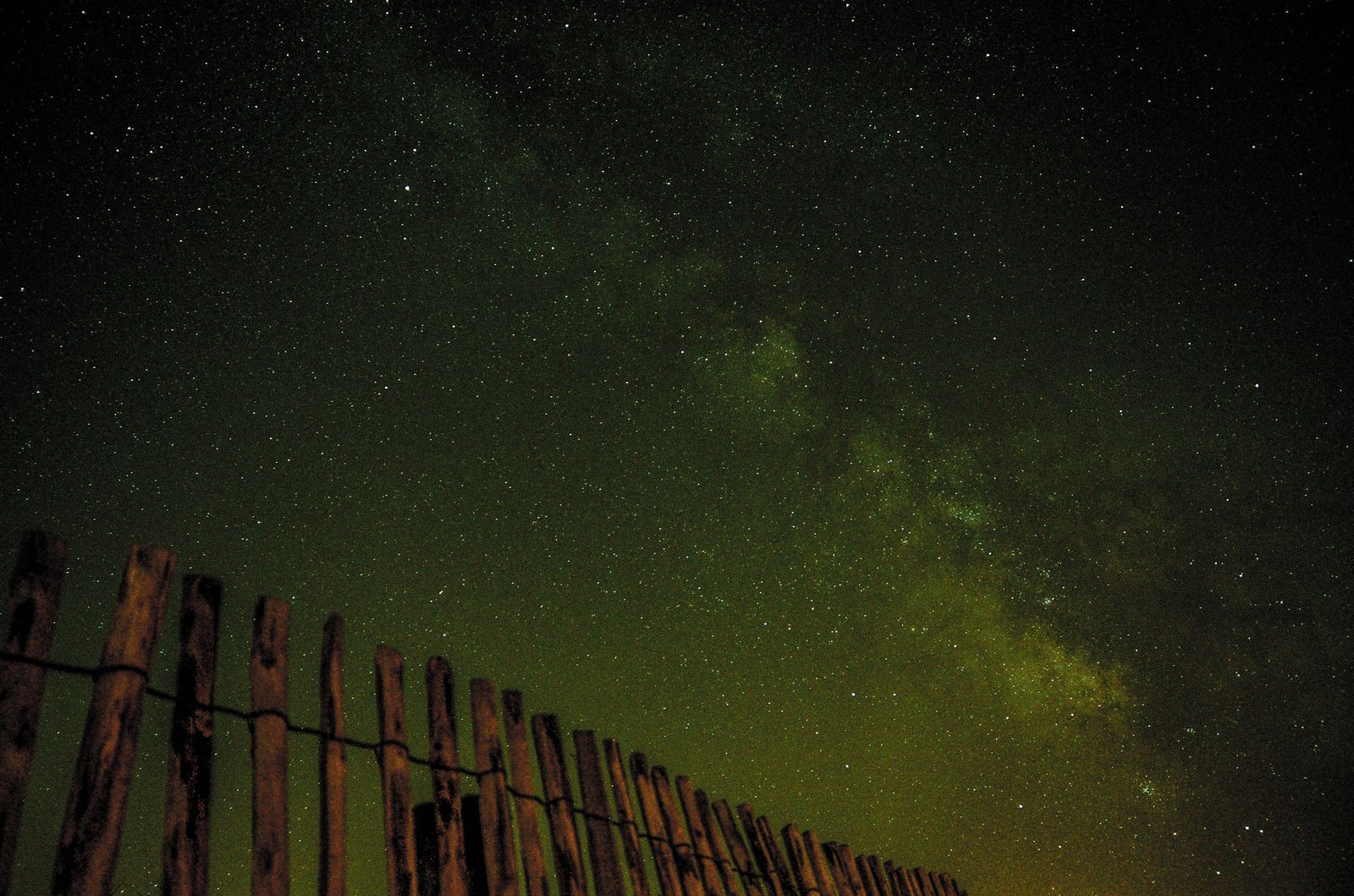
Most night modes are designed to work handheld, with a total capture of about one to three seconds. Set the phone on a tripod, though, and some devices switch into an astrophotography mode that extends the total capture to several minutes — stacking many long frames until even the Milky Way emerges in the final image.
Conclusion
Night mode is a software trick that makes a small sensor behave like a much larger one. It collects light across many frames, lines them up, and reconstructs a bright, clean image that no single frame could deliver. More than almost any other feature, it shows how computation — not just glass and silicon — now defines what a camera can do.
FAQ
Do I need a tripod for night mode?
No. Night mode is designed for handheld use and corrects small amounts of shake automatically. A tripod only matters if you want to unlock longer astrophotography-style exposures.
Why does my night-mode photo look brighter than what I actually saw?
Because the phone stacks many exposures and merges them, gathering far more total light than your eye perceives in a single moment — then tone-maps the result to look natural.
Does night mode work with moving subjects?
It copes with modest movement by blending short exposures that freeze motion, but fast-moving subjects can still blur or “ghost” in the final image.
Is night mode the same as using the flash?
No. The flash adds harsh artificial light to the scene, while night mode gathers and amplifies the ambient light that is already there, for a more natural look.
Related Posts
How Google HDR+ Works: The Burst Photography Behind Pixel’s Camera
Open the camera on a Google Pixel and press the…
Apple Deep Fusion and Photonic Engine Explained: How Your iPhone Computes a Photo
The modern iPhone does not simply capture light — it…
AI Noise Reduction Explained: How Neural Networks Rescue Your High-ISO Photos
Shooting in low light used to force a choice: a…