Open the camera app on a modern flagship phone and the marketing will shout “200MP” or “48MP” at you. Yet check the file your phone actually saves, and it is often a 12-megapixel image. Those missing megapixels are not a bug — they are the point. The technique behind them, pixel binning, is the reason today’s ultra-high-resolution phone sensors can still take clean photos in dim light.
Here is how it works, why it exists, and what you give up in the trade.
What Is Pixel Binning?
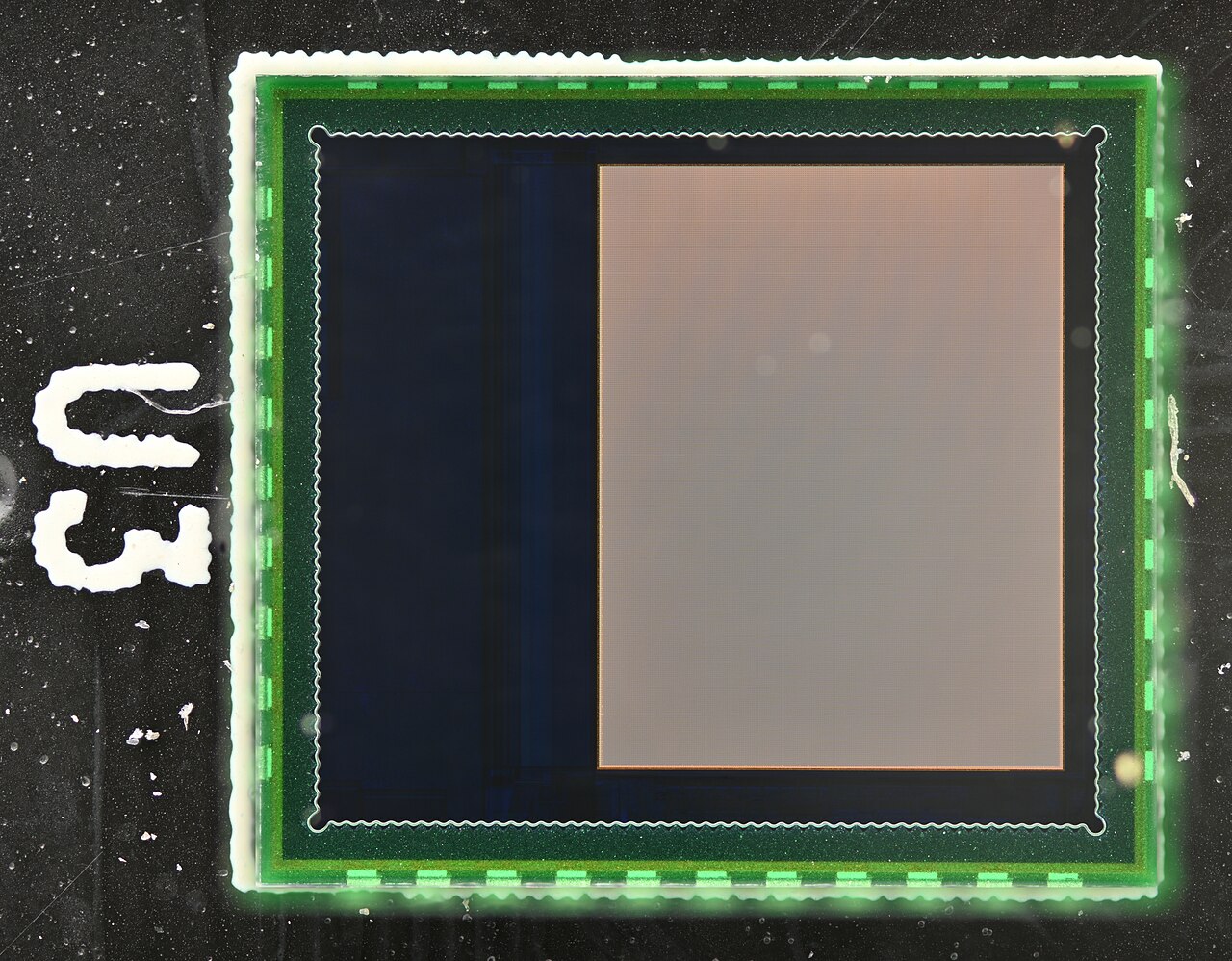
Every digital camera sensor is a grid of light-gathering cells called photosites (usually shortened to “pixels”). Each one behaves like a tiny bucket that collects photons. Pixel binning is the process of combining several neighboring pixels into one larger “superpixel” before the image is written to file.
Picture a yard full of buckets catching rain. You can scatter many small buckets, or place a few big ones. In bright light, many small buckets capture fine detail. When light is scarce, you would rather pour all those small buckets into one big container — that is binning. The camera’s image signal processor averages the signal from a 2×2, 3×3, or 4×4 block of same-colored pixels and treats the whole group as a single pixel.
Why Small Pixels Struggle in Low Light
The physics is simple: a pixel’s light sensitivity scales with its surface area. A 1.2-micrometer (µm) pixel gathers more photons per exposure than a 0.6 µm pixel, so it produces a brighter signal with less noise, especially in the dark.
But phones are thin, and sensors must stay small. To hit headline resolutions like 108MP or 200MP, manufacturers shrink individual pixels down to 0.8 µm, 0.64 µm, or even 0.5 µm. On their own, those pixels are noisy in low light. Binning sidesteps the problem: merge sixteen 0.6 µm pixels and you get a virtual pixel that behaves like one roughly 2.4 µm across.
How the Resolution Math Works
Binning ratios are written by the number of pixels in each block:
- 2×2 (tetra / quad binning): four pixels merge into one. A 48MP sensor outputs 12MP; a 50MP sensor outputs 12.5MP.
- 3×3 (nona binning, 9-in-1): nine pixels into one — common on 108MP sensors, yielding 12MP shots.
- 4×4 (16-in-1): sixteen pixels into one. A 200MP sensor drops to 12.5MP, its best low-light mode.
This is enabled by a Quad Bayer color filter array. A conventional Bayer filter covers each pixel with red, green, or blue (roughly 50% green, 25% red, 25% blue). A Quad Bayer sensor groups these colors into 2×2 clusters of the same color, so a block of four adjacent pixels all record the same channel and can be summed cleanly. A 200MP sensor extends the idea to a “Tetra²” layout, letting the same hardware bin at 2×2 or 4×4 depending on the scene.
The Trade-Offs
Binning is not free. The obvious cost is resolution: a binned shot has a quarter (or less) of the native pixel count. The subtler point is that a binned pixel is not a perfect substitute for a physically large one. Microscopic gaps remain between the merged photosites, so a genuine 2.4 µm pixel still has an edge over a 4×4 binned block of 0.6 µm pixels. Software fills in the difference well, but the distinction is real.
The upside is versatility. A high-resolution sensor can behave like several cameras at once:
- Full resolution (for example 200MP) in bright light, for maximum detail and aggressive cropping.
- Mid resolution (for example 50MP via 2×2) for everyday scenes or 8K video.
- Binned resolution (for example 12.5MP via 4×4) for low light, with less noise and better dynamic range.
Binning also powers “lossless” in-sensor zoom. Crop the center of a 200MP sensor by 2× and you still have a 50MP image — enough for a convincing 2× telephoto from a single lens.
Real-World Examples
Samsung has pushed binning furthest. Its ISOCELL HP1 (2021) was the industry’s first 200MP mobile sensor, using 0.64 µm pixels and a “ChameleonCell” design that switches between 2×2 and 4×4 layouts. The ISOCELL HP2 in the Galaxy S23 Ultra shrinks pixels to 0.6 µm and can bin 16-in-1 to a 2.4 µm effective pixel, or 4-in-1 to 1.2 µm for 50MP. In October 2025, Samsung announced the ISOCELL HP5, its first 200MP sensor with 0.5 µm pixels, already in mass production.
Apple adopted the approach with the iPhone 14 Pro’s 48MP sensor, which bins 2×2 to a 12MP default, and Google’s Pixel 7 series pairs a 50MP sensor with 4-in-1 binning to 12.5MP — relying more on its own computational pipeline than on raw resolution.
Conclusion
Pixel binning is the elegant compromise at the heart of the megapixel race. It lets manufacturers chase bigger numbers on the spec sheet while still delivering the large effective pixels that actually matter for image quality. Next time your 200MP phone saves a 12MP file, that is not a downgrade — it is the sensor doing exactly what it was designed to do.
FAQ
Why does my 200MP phone save 12MP photos?
By default the camera bins blocks of sixteen pixels into one to capture more light, producing a cleaner 12.5MP image. You can usually switch to full 200MP mode in the camera app for bright, detailed scenes.
Does pixel binning reduce image quality?
It lowers resolution but improves low-light performance, noise, and dynamic range. In dim conditions a binned image is usually better than a full-resolution one from the same sensor.
Is a binned pixel as good as a physically large pixel?
Not quite. Because of the small gaps between merged photosites, a genuine large pixel still has an edge — but binning gets close enough for everyday shooting.
Can I use full resolution in low light?
You can, but the result is typically dimmer and noisier. Full-resolution modes work best in good light.
Related Posts
How Autofocus Works: Phase Detection vs Contrast Detection
Every time you half-press the shutter button, your camera has…
Lens Mount Systems Compared: Canon RF vs Sony E vs Nikon Z vs Fujifilm X
When you buy an interchangeable-lens camera, you are not just…
Mirrorless Camera Design: How Removing the Mirror Changed Cameras
For most of the twentieth century, the single-lens reflex (SLR)…