Open the camera app on a modern flagship phone and the spec sheet will boast a 48, 108, or even 200-megapixel sensor. Yet the photo that actually lands in your gallery is usually a 12-megapixel (or 12.5MP) file. That is not a bug, and it is not marketing sleight of hand. It is pixel binning — the engineering trick that lets one tiny sensor deliver high resolution in daylight and clean, bright images in the dark. Here is how it works.
What Is Pixel Binning?
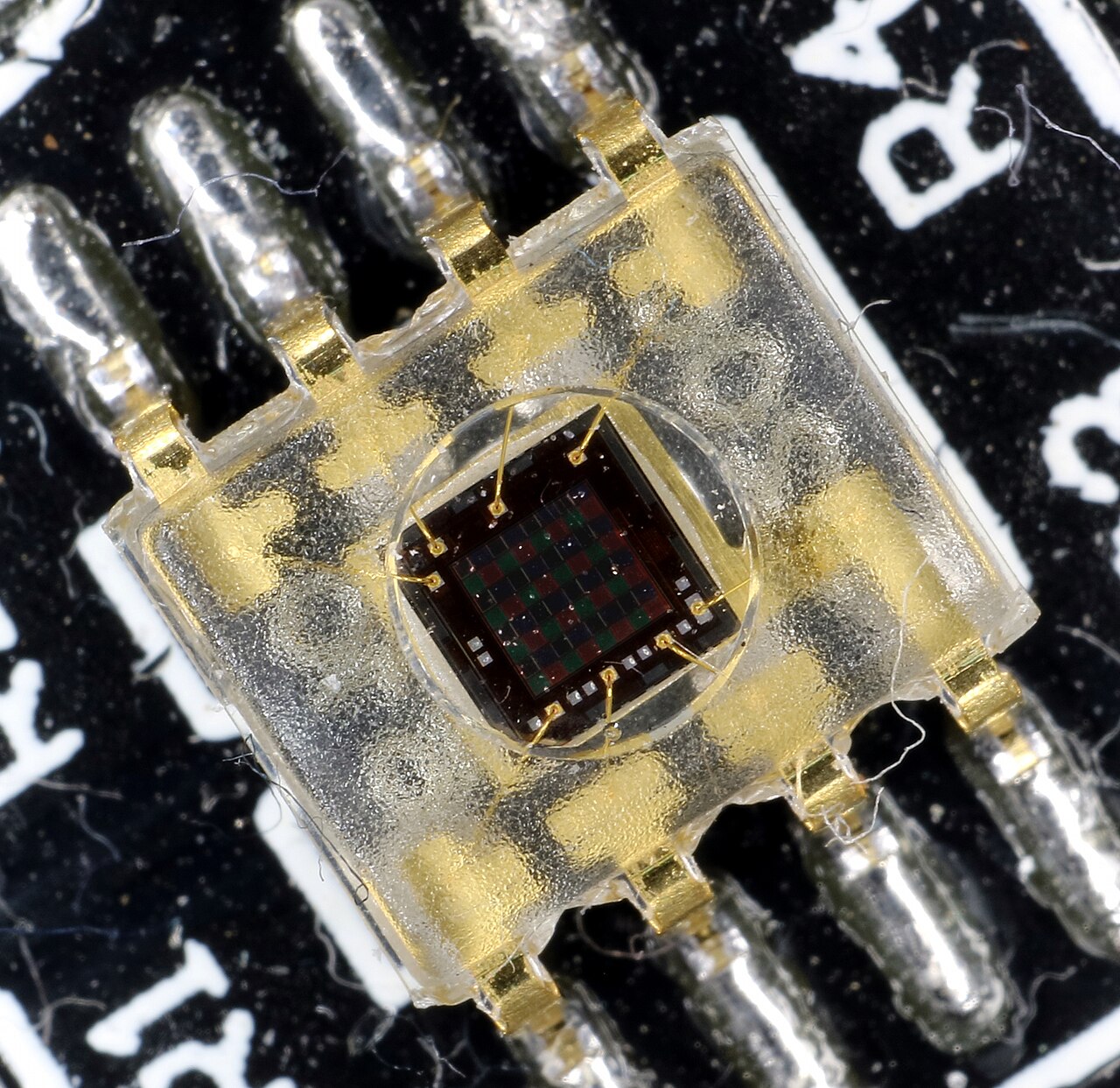
Every “megapixel” is really a photosite — a microscopic bucket that collects photons and converts them into an electrical signal. The bigger the bucket, the more light it catches and the less noise you see in dim conditions. Phones, however, do not have room for big buckets. To squeeze 48MP or 108MP onto a sensor the size of a fingernail, manufacturers shrink each photosite to around 0.8 micrometres (µm) — and as small as 0.6µm on 200MP sensors.
Small pixels collect very few photons in low light, so the image turns noisy. Pixel binning fixes this by grouping several neighbouring pixels into one larger “superpixel” before the image is saved. A 2×2 block of four pixels becomes a single output pixel with roughly four times the light-gathering area — at one quarter of the resolution.
Quad Bayer, Tetracell, and Nona Bayer
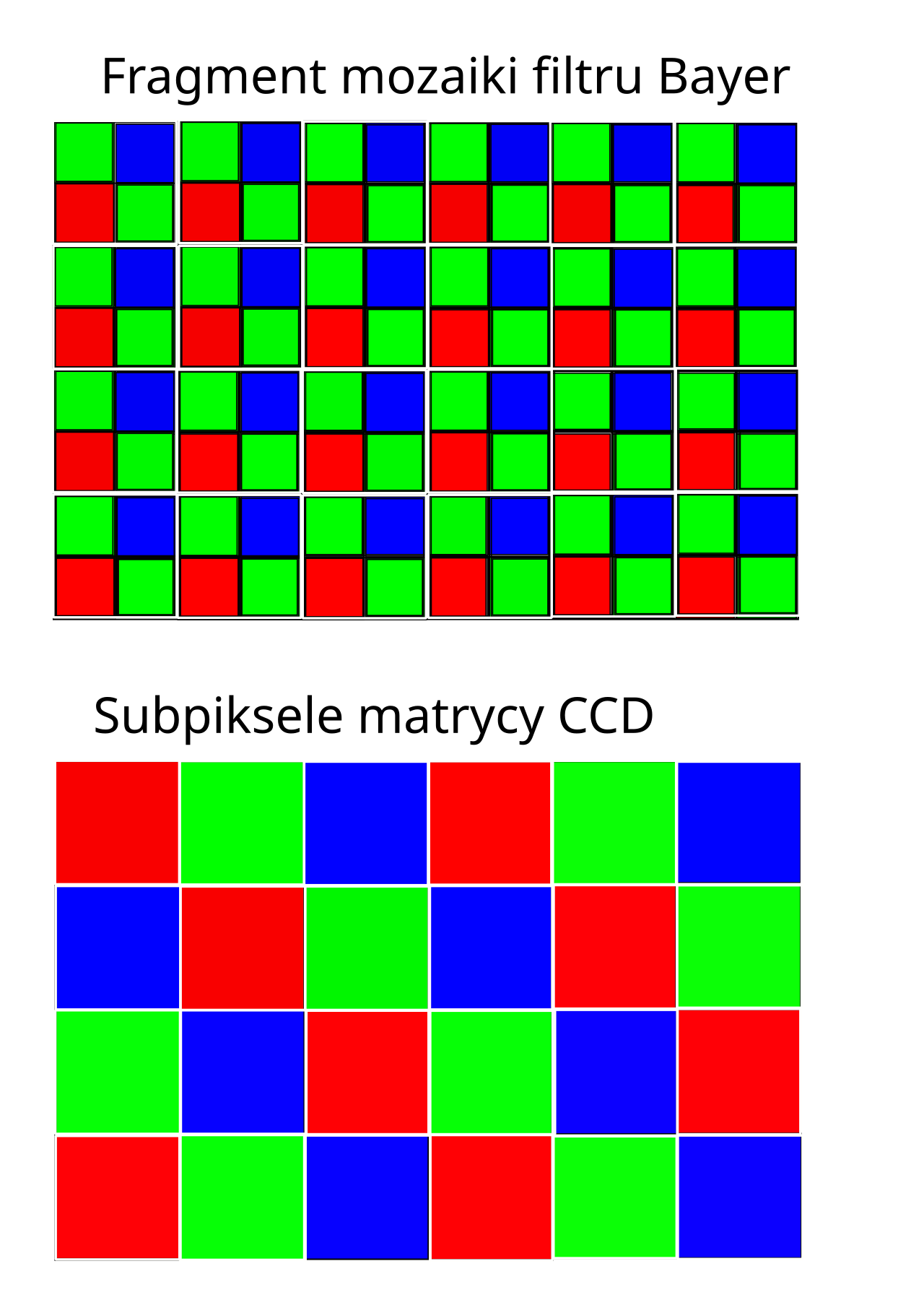
A conventional sensor uses a Bayer colour filter array: a checkerboard of red, green, and blue filters (two green for every red and blue, matching human vision). Adjacent pixels have different colours, which makes binning awkward — you cannot cleanly merge a red pixel with a blue one.
A quad-Bayer sensor rearranges the layout so a 2×2 block of pixels all share the same colour filter. Sony calls this Quad Bayer; Samsung calls it Tetracell. Because four same-colour pixels sit together, the sensor can merge them in the analog (charge) domain before readout — cleaner than averaging them in software afterwards.
The pattern scales up to ever larger pixel groups:
- 2×2 (4-in-1): 48MP → 12MP, 64MP → 16MP. Effective pixel size grows from 0.8µm to 1.6µm.
- 3×3 (9-in-1): Samsung’s Nonacell (“nona binning”) turns a 108MP sensor into 12MP images at an effective 2.4µm.
- 4×4 (16-in-1): a 200MP sensor outputs roughly 12.5MP files.
Why Binning Makes Low-Light Photos Cleaner
The payoff is signal-to-noise ratio (SNR). When you combine N pixels, the signal adds up roughly in proportion to N, but random noise only grows with the square root of N. The SNR therefore improves by about the square root of N. A 2×2 bin gives roughly double the SNR — about one extra stop of light — while 3×3 binning delivers roughly three times the SNR, or about 1.5 stops, without touching ISO or shutter speed.
There is a second, subtler win. Reading out a pixel adds a small dose of read noise. If the sensor merges the charge from four pixels on a shared floating diffusion and reads the total only once, that read noise is paid a single time instead of four times. This charge-domain binning is a key reason modern quad-Bayer sensors outperform their tiny pixel size in the dark. These sub-micron pixels work at all thanks to back-side illumination (BSI): the sensor wafer is flipped so light strikes the photodiodes directly, instead of passing through the wiring first.
The Resolution Trade-Off
Nothing comes free. Binning discards spatial resolution — a 48MP sensor binned to 12MP keeps a quarter of its pixels. And quad-Bayer does not deliver its full headline resolution even in high-resolution mode: because four sub-pixels share one colour filter, the true detail and colour resolution is lower than the megapixel count suggests. Reviewers have estimated that a 48MP quad-Bayer sensor resolves closer to 27MP of real spatial detail. That is still a lot — but it is not 48MP.
In good light, phones re-mosaic: they read all four sub-pixels separately and computationally rearrange them into a standard Bayer pattern to unlock full resolution. That is why you see a “48MP” or “200MP” toggle in the camera app. Bright scene — take the megapixels; dim scene — take the SNR.
When to Bin, and When to Shoot Full Resolution
- Bin (default) when: light is low (evenings, indoors, night), you need a faster shutter speed, or the output is destined for social media and small prints.
- Shoot full resolution when: it is bright, you plan to crop heavily, or you are printing large.
FAQ
Is pixel binning the same as having physically bigger pixels?
Not quite. Binning captures more total light, but a native large pixel still edges ahead because it has no gaps or microlens losses between merged photosites. Binning’s real advantage is flexibility — one sensor that adapts to the light.
Why does my phone say 200MP but save 12.5MP?
By default it is binning 16 pixels into one (16-in-1) for cleaner low-light results. Switch to the full-resolution mode in good light to use every pixel.
Does binning hurt colour accuracy?
Mostly it trades away detail (spatial resolution) rather than colour. But because quad-Bayer’s colour filters are shared across four sub-pixels, full-resolution mode has somewhat lower colour resolution than a standard Bayer sensor of the same megapixels.
Can I turn binning off?
Not literally — the sensor’s quad layout is fixed. But the full-resolution mode reads every sub-pixel individually instead of merging them, which is the practical equivalent.
Conclusion
Pixel binning is the quiet engine behind the megapixel race. It lets phone makers market 200MP sensors while still delivering the clean 12MP images that actually look good in low light. The next time your phone says “48MP” but hands you a 12MP file, you will know it is not broken — it is just smart engineering.
Related Posts
Chroma Subsampling Explained: 4:2:0 vs 4:2:2 vs 4:4:4 (And Why It Matters for Video)
Record a video on almost any camera and your footage…
How to Read an MTF Chart: Understanding Lens Sharpness Curves
Manufacturers love to tell you a lens is “razor sharp,”…
Weather Sealing in Cameras Explained: IP Ratings, Seals & Limits
"Weather sealing" is one of the most heavily marketed —…