Every photographer has opened a photo and thought, “why is everything orange?” That is a white balance problem. White balance is one of the least glamorous settings on a camera, yet it has an outsized effect on how natural — or how wrong — your images look. In this guide we break down what white balance actually does, how color temperature works, and the exact presets and techniques that get you accurate color in any light.
What Is White Balance?
Light is not always white. A candle glows warm orange, a fluorescent tube leans green, and open shade is noticeably blue. Your eyes and brain quietly compensate for these differences — a trick called chromatic adaptation — so a white shirt still looks white whether you are indoors or out. A camera sensor has no such instinct; it records the color of the light as it really is.
White balance is the setting that tells the camera which color to treat as neutral. Set it correctly and whites render white and skin tones look natural. Get it wrong and the whole frame picks up an orange, blue, or green cast. The camera does this by shifting the red and blue channels relative to green until the neutral point you chose lands in the middle.
Color Temperature and the Kelvin Scale
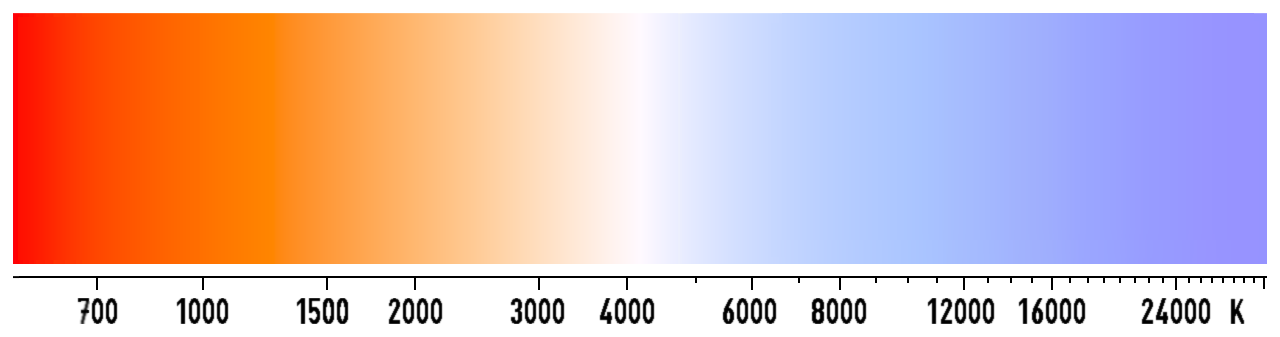
White balance is usually described using color temperature, measured in kelvin (K). The scale is counterintuitive at first: low kelvin values look warm (orange), while high values look cool (blue) — the opposite of what “warm” and “cool” suggest in everyday language.
Common reference points:
- Candlelight: roughly 1,900 K
- Incandescent / tungsten bulb: 2,700–3,200 K
- Fluorescent light: 4,000–5,000 K
- Direct midday sun: 5,500–5,600 K
- Overcast / cloudy sky: 6,000–7,000 K
- Open shade: 7,000–8,000 K
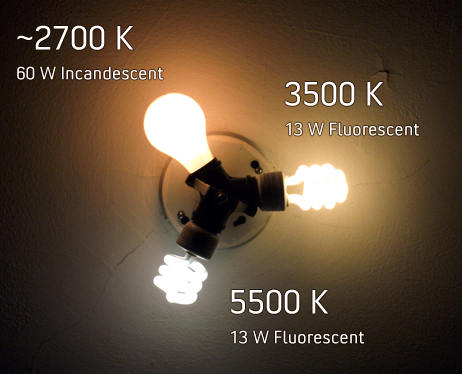
Setting a kelvin value on your camera is essentially telling it the color of your light source. Choose 5,500 K outdoors on a sunny day and colors look neutral. Keep that same 5,500 K setting indoors under a 2,700 K bulb and everything turns orange, because the camera is “expecting” daylight but receiving warm tungsten light.
White Balance Presets Explained
Every camera offers a row of presets tied to common lighting, and they are more useful than their small icons suggest:
- Auto (AWB) — the camera evaluates the scene and picks a temperature. Fine for most everyday shooting.
- Daylight — fixed around 5,200–5,500 K, for direct sun.
- Cloudy — adds warmth (about 6,000 K) to offset the cool blue of overcast skies.
- Shade — warmer still (about 7,000 K) for blue, shadowed light.
- Tungsten / Incandescent — cools the image (about 3,200 K) for warm indoor bulbs.
- Fluorescent — compensates for the green tint of fluorescent tubes.
- Flash — matches the near-neutral output of a speedlight (about 5,500–6,000 K).
- Custom — you set the reference yourself (more below).
Auto vs. Manual White Balance
Auto white balance has become impressively good. Modern cameras from Sony, Canon, and Nikon analyze the scene and rarely make a glaring mistake outdoors. But AWB still fails in predictable situations: mixed lighting, a scene dominated by a single color (a wall of green leaves or a bright red dress), or a run of shots where you need consistent color all trip it up.
That is when a manual preset or a specific kelvin value wins. If you are shooting a portrait sequence under changing cloud cover, locking white balance to a fixed value keeps every frame’s skin tone consistent, which saves a lot of correcting later. The same logic applies to video, where an AWB that drifts mid-clip is very difficult to fix.
Custom White Balance and Gray Cards
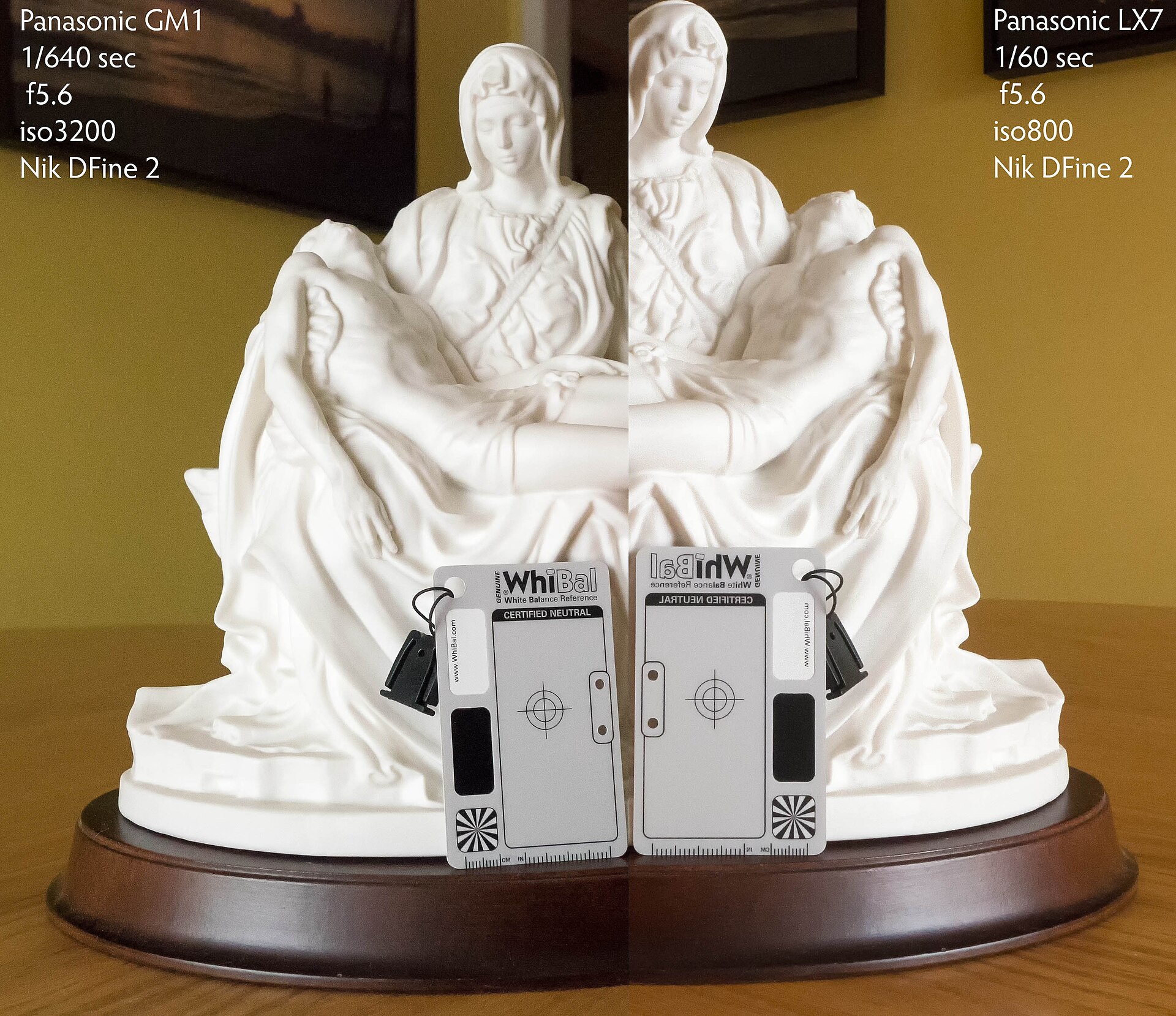
The most accurate method is custom white balance. You photograph a neutral target — a gray card, a white sheet of paper, or a dedicated tool like an ExpoDisc — under the exact light you will be shooting in, then tell the camera to use that frame as its neutral reference. The camera measures how far the light is from neutral and corrects for it precisely.
A neutral gray card is the gold standard because it reflects all colors equally and is not prone to the brightening that can push a white surface toward clipping. This is why portrait and product photographers reach for a gray card first when color accuracy matters.
White Balance in Post-Processing (Shoot RAW)
If you shoot JPEG, white balance is baked into the file the moment you press the shutter — fix it later and you are fighting a lossy correction. RAW files store white balance only as a note alongside the sensor data, so you can change it afterward with zero loss of quality.
This is the single biggest reason to shoot RAW. In Lightroom, Capture One, or your phone’s editor, you can drag the temperature and tint sliders — or type a kelvin value — and rebuild the color as if you had set it correctly in camera. Temperature shifts the image orange-to-blue, while the tint slider corrects the green-to-magenta axis that white balance alone cannot fix (crucial under fluorescent light).
Conclusion
White balance is simple once you understand it: identify the color of your light, then tell the camera what to treat as neutral. For most shooters, auto white balance plus RAW capture is a forgiving combination — you get good color out of camera and full control to refine it later. For tricky mixed light, color-critical work, or consistent sequences, a preset, a fixed kelvin value, or a custom reading from a gray card keeps your colors true. Master this one setting and the “why is everything orange?” problem disappears for good.
FAQ
What is the best white balance setting for everyday use?
Auto white balance is the right default for most situations. Switch to a preset or a fixed kelvin value when you are in mixed light, need consistent color across a sequence, or the camera keeps guessing wrong.
Does white balance affect RAW files?
No. RAW files record white balance only as metadata, so you can change it later in any RAW editor with no loss of image quality — unlike JPEG, where it is baked in.
Why do my indoor photos look orange?
Indoor bulbs are warm (roughly 2,700–3,200 K). If your camera is set to Daylight it expects cooler light, so the warm bulbs register as an orange cast. Use the Tungsten/Incandescent preset, dial in a lower kelvin value, or set a custom white balance.
Related Posts

Depth of Field: A Complete Guide for Photographers
Shallow depth of field isolates the subject against a blurred…
Understanding ISO in Photography: A Complete Beginner’s Guide
Exposure is the foundation of every photograph, and three settings…
The Exposure Triangle: Aperture, Shutter Speed and ISO Explained
Every photograph you take is the result of one simple…